Subscription Management
Find some of the most crucial accounts receivable best practices for B2B SaaS businesses and how to use these to improve your billing workflow.
Billing for custom B2B SaaS deals is messy: different contracts, unique payment terms, usage meters, and bank transfers instead of cards. Small mistakes, such as a wrong effective date or a missed proration, can quickly turn into disputes and delayed wires.
Strong accounts receivable (AR) management is what stops those problems before they start. This guide covers the fundamentals every B2B finance team needs: A clear credit policy, payment terms, AR aging, the KPIs that matter, and a dunning sequence that actually gets responses. It also digs into the practices specific to subscription and usage-based businesses.
You’ll get clear, actionable guidance on automating contract-aware invoicing, reconciling usage daily, tightening integrations, and building dashboards that make the AR management process simpler.
Why Do You Need Accounts Receivable Management?
Accounts receivable (AR) management is how a business invoices customers, tracks what they owe, and collects on time to protect cash flow.
Good AR makes sure invoices are correct, customer payments are tracked and applied, and collections happen on time, which keeps cash available for payroll, product development, and growth.
Without it, you’ll see slow collections, more disputes, and surprise shortfalls. It:
- Speeds up collections and ensures a healthy cash flow
- Lowers day sales outstanding (DSO)
- Prevents revenue leakage
- Reduces billing errors and disputes
- Makes cash forecasting reliable
- Keeps audit trails and compliance clean
If you run a B2B SaaS business, using a legacy billing system just won’t cut it. The right setup pairs these AR best practices with software built for the job – see our guide to the best accounts receivable software for B2B SaaS.
Also Read:
13 Accounts Receivable Best Practices for B2B SaaS Businesses
Here are the most crucial accounts receivable best practices you should follow.
1. Set a Clear Credit Policy Before You Extend Terms
A credit policy sets the rules for who you extend payment terms to, how much credit they get, and on what conditions. It's the foundation the rest of your AR process sits on, and your cheapest defence against bad debt – you're screening the risk before the invoice ever goes out.
Define standard terms. Set defaults like Net 30 or Net 45 across most contracts so the team isn't negotiating from scratch each time.
- Set credit limits. Cap how much each customer can owe at once, scaled to their size and risk.
- Assess creditworthiness. Run new accounts through the five Cs of credit before extending terms.
The five Cs are a quick way to judge whether a customer is good for the money:
- Character – their payment history and reputation.
- Capacity – whether they can realistically afford the payments.
- Capital – the financial cushion or reserves behind the business.
- Collateral – any assets or guarantees that secure payment.
- Conditions – market or contractual factors that affect their ability to pay.
For subscription businesses, tie credit limits to the ARR or contract value you're managing, so your exposure tracks the size of the commitment rather than a flat ceiling.
2. Automate Contract-Specific Invoicing and Amendments
Contract-specific invoicing means generating each invoice straight from the terms in the signed contract, not from a PDF or someone's memory.
Custom contracts are great for winning business, but they turn billing into a guessing game if you don’t capture the rules up front. Treat each contract as a set of fields (dates, proration rules, payment method, bank details) and let your billing system use those fields to create accurate invoices automatically.
Done right, it turns custom, high-touch deals into repeatable, auditable billing events. You’ll see fewer customer complaints, faster time to first invoice, and less back-and-forth between Sales and Finance.
Here are some best practices you should follow.
- Put payment terms, bill frequency, milestone triggers, proration rules, and invoicing contact into dedicated contract fields (not just PDFs). Standardize common terms so the system can read them automatically.
- Set up invoice templates that automatically fill in details from the contract, like due dates, bank info, or PO numbers.
- Use triggers like “subscription activation,” “usage threshold reached,” or “milestone accepted” to generate invoices automatically.
- Include manual approval gates where necessary (for big or high-risk customers).
- Log every contract amendment as a change order that updates future invoices without manual edits.
- Log who created invoices, who approved amendments, and timestamps for each action, as this makes disputes and audits far simpler.
3. Reconcile Usage-Based Billing and Metering Daily
Daily usage reconciliation means pulling yesterday's metered data into billing each morning, checking it, and resolving anomalies before any invoice goes out.
Picture this: an unexpected spike in API traffic shows up on Friday, you don’t notice it until payroll on Monday, and a big invoice goes out with a surprise overage. The customer disputes it, collections are slow, and everyone wastes time.
Reconciling usage every day prevents that as it keeps invoices defensible, reduces back-and-forth, and makes cash flow predictable for deals that use custom units and non-card payments.
Here are some accounts receivable best practices to help you avoid such issues.
- Pull yesterday’s raw meter files into your billing system first thing.
- Apply the customer’s pricing rules: allowances, tiers, caps, and overage rates.
- Auto-flag anything that looks abnormal (big spike, negative values, or sudden unit-type changes).
- Produce a draft usage statement showing line-level math — don’t hide how you calculated the charge.
- Resolve or tag anomalies before invoices are finalized; if a correction is needed, record the reason and who approved it.
- Archive raw logs, mapped calculations, and the final billed amounts so every number can be traced back.
- Make CSV downloads available on every usage statement so customers can self-verify quickly.
How to Handle Exceptions
Despite all your best efforts, sometimes unexpected scenarios will occur.
A few rules to handle them:
- If usage > 3x historical average, pause automatic billing and require a human review.
- If usage records are incomplete or have gaps, don’t assume; instead, issue a temporary hold and notify the product team to re-run exports.
- When you issue a correction, attach a short memo to the invoice explaining the change (date, reason, approver).
Younium can automate much of the daily usage-reconciliation work. It imports data, applies the pricing rules for each customer, and produces draft usage statements – so your team reviews exceptions instead of assembling numbers. Overall, it makes usage-based billing simpler for you.
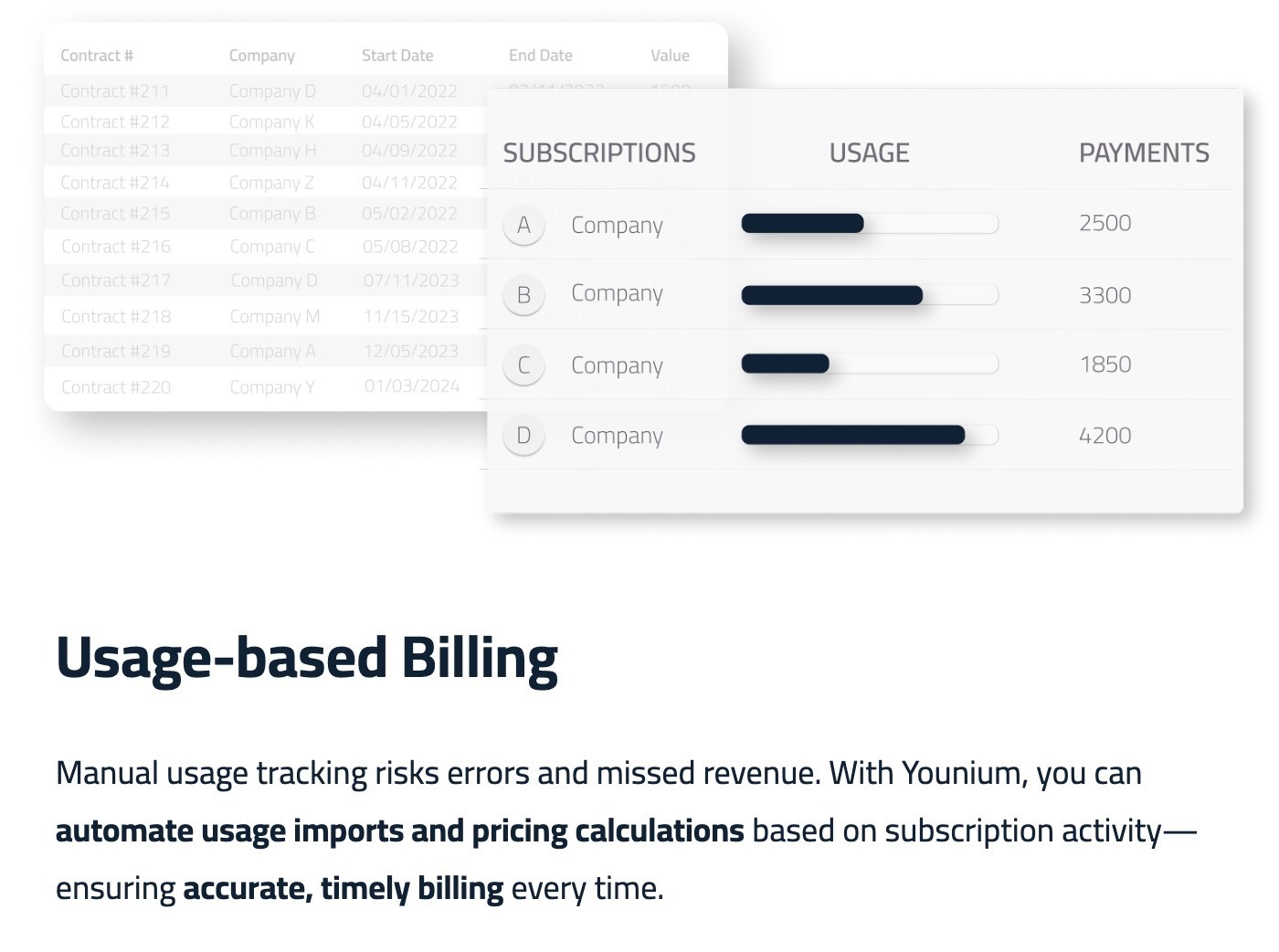
Image via Younium
4. Integrate CPQ, ERP, and AR Workflows
Integrating CPQ, ERP, and AR connects the system that closes the deal, the system that books it, and the system that collects on it – so data moves without anyone retyping it.
When a sale is complex (a custom lineup of products, special pricing, and unique payment terms), the handoff between Sales (CPQ), Finance (ERP), and Collections (AR) is where invoices break, or payments slow down.
Integration works best when it feels invisible. The quote a rep closes in CPQ should instantly turn into an invoice and then a journal entry without anyone retyping details. That way, billing is fast, accurate, and consistent across teams.
Here’s what you can do:
- Make a short list of the exact pieces of information that must move from CPQ to ERP to AR for each contract: final line items and quantities, any one-time setup fees, agreed prices, approved discounts, PO numbers, payment terms and remittance details, and the effective dates for billing.
- Make sure the list also includes who owns the account in Sales and who the AR contact is – that way, questions get routed fast.
This integrated workflow automatically creates the billing record from the approved quote, so finance doesn’t retype prices or line items. It also keeps the invoice and payment status synced back to Sales and Customer Success so they can act on late payments or disputes and ensure customer satisfaction.
Here are a few more to follow:
- Use an automated handoff: on quote approval, push a single payload to the ERP/AR system rather than multiple manual exports.
- Include a small validation step in the flow that checks for common mismatches (term length, currency, missing PO) and stops the handoff until fixed.
- Map product SKUs in CPQ software to the ERP’s chart of accounts ahead of time so invoices post cleanly.
- Make sure any later contract changes (change orders, add-ons) go through the same path so the ERP and AR reflect the true billing plan.
- Route high-value or unusual quotes through a manual approval gate in CPQ that adds an extra checksum before the handoff.
Going one step further, prebuilt connectors and open APIs keep these systems in sync continuously, not just at the moment of handoff:
- Push events in real time. Use webhooks or API events, so billing changes (new subscriptions, credit notes, payment receipts) notify downstream systems immediately instead of waiting for batch exports.
- Keep customer and contract data canonical. Sync customer IDs, PO numbers, and contract IDs from your CRM into billing so invoices reference the exact deal Sales closed.
- Automate journals to the ERP. Prebuilt ERP connectors (such as NetSuite) post invoice records automatically, cutting manual re-posting and reconciliation.
Younium's CRM and ERP connectors (Salesforce, HubSpot, NetSuite, and more) support this two-way sync, plus an open REST API for usage and BI flows.
Also Read:
- Usage-Based Pricing: What it Is and How to Implement it
- The Reality of Usage-Based Pricing: Challenges, Opportunities, and How Younium Can Help
5. Manage Subscription Lifecycle Events to Ensure Accurate Billing
Subscription lifecycle events are the mid-contract changes – upgrades, downgrades, renewals, and cancellations –that quietly throw billing off if they aren't tracked.
Most billing mistakes don’t happen at the start of a contract, but sneak in later, when the subscription changes.
A missed renewal term, a miscalculated downgrade, or a late cancellation can all throw invoices off. For SaaS companies working with wire transfers or ACH, that means cash stuck in limbo.
The fix? Treat lifecycle events as part of the SaaS billing process, not an afterthought.
When customers ask for a change, don’t just make a quick note; capture the essentials in a structured way. Things like:
- Type of change: Upgrade, downgrade, renewal, etc.
- The effective date
- Who signed off
- Whether it applies retroactively
- The contract line it touches
Create rules your team must follow in case of subscription changes. Some examples include:
- For upgrades, prorate from the effective date and invoice separately.
- For downgrades, stop billing immediately and issue credits only if needed.
- For renewals, keep old contract history intact while storing the new terms.
These simple rules ensure things work smoothly and there are no errors.
You can also use a tool like Younium that handles these subscription changes.
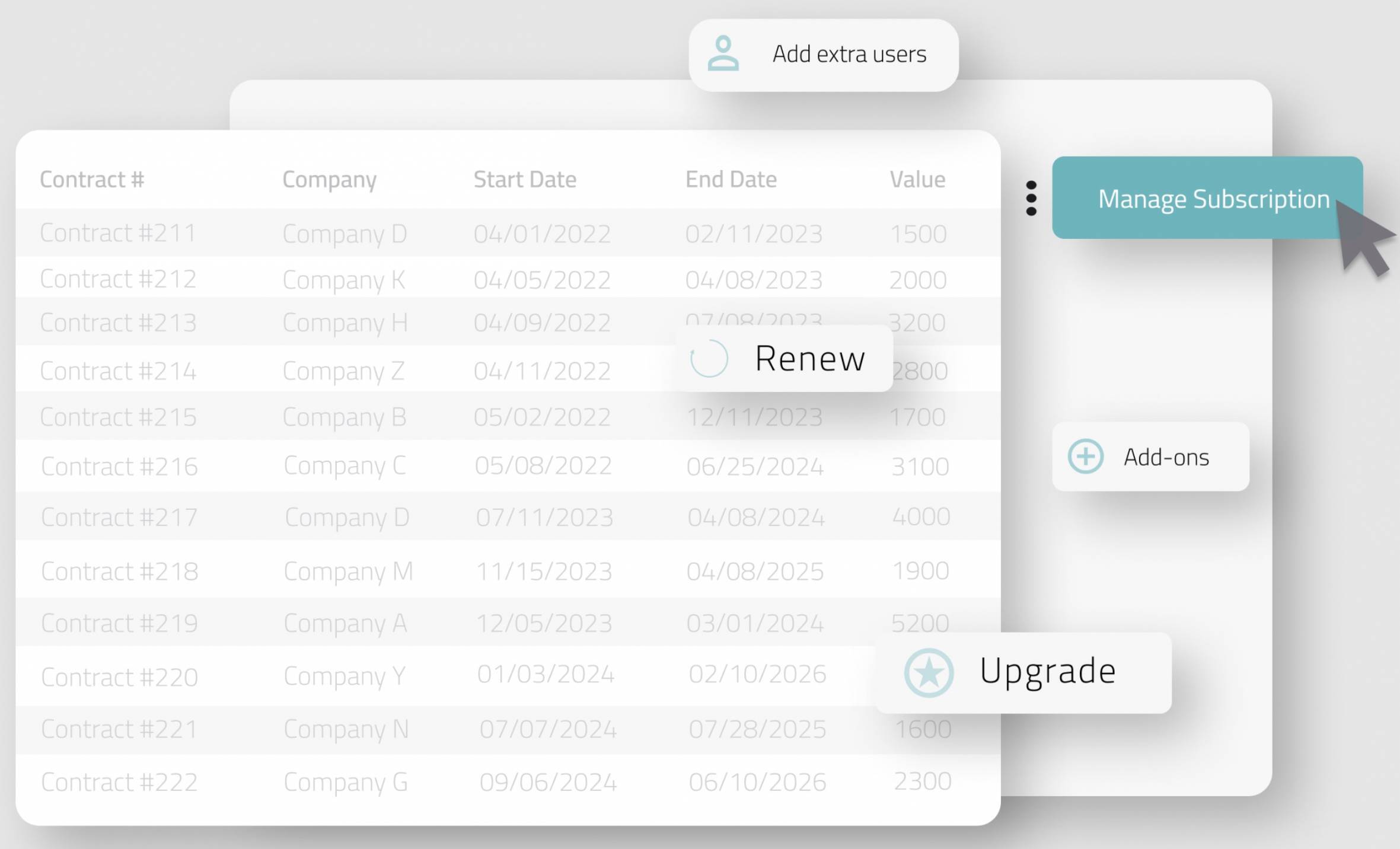
Image via Younium
Here are some best practices to help you manage subscription changes with ease.
- Store a change order ID on every invoice or credit so every line can be traced to its source.
- Use one consistent proration rule set (rounding, day-count method) and document it for reviewers.
- For negotiated renewals, generate a pro forma invoice giving the customer visibility at least 30 days before renewal billing.
- Train CS to flag contract changes at first contact – early flags cut down manual corrections later.
6. Implement Automated Dunning
Dunning is the structured sequence of reminders that chase overdue invoices while keeping the customer relationship intact.
Chasing late payments is one of the most frustrating parts of AR.
For advanced B2B SaaS companies, it’s not just about overdue payments — it’s about complex client contracts, wire transfers, and long approval chains on the customer’s side.
Missed or delayed payments might not be intentional, but if you don’t follow up the right way, it slows down cash flow and creates tension with the client.
That’s where dunning comes in. Instead of sending the same “payment reminder” email three times, modern AR teams design workflows that escalate smoothly.
For example:
- −3 days – a friendly heads-up that the invoice is due soon.
- Due date – an "invoice due today" note with a payment link.
- +7 days – a gentle reminder restating the amount and how to pay.
- +14 days – a firmer note to the finance / AP contact.
- +30 days – escalation: the account owner is looped in, and a credit hold is flagged.
This layered approach keeps the tone professional while protecting customer relationships.
Collections is a shared effort – sales flags risky payment terms when the deal is signed, customer success owns the relationship if an account slips, and finance runs the reminder cadence.
With Younium, much of this process can be automated. It gives finance teams flexible dunning workflows, so payment reminders go out on time, with the right tone, and to the right contacts. Younium supports up to five reminder steps per routine, with different cadences for different customer segments.
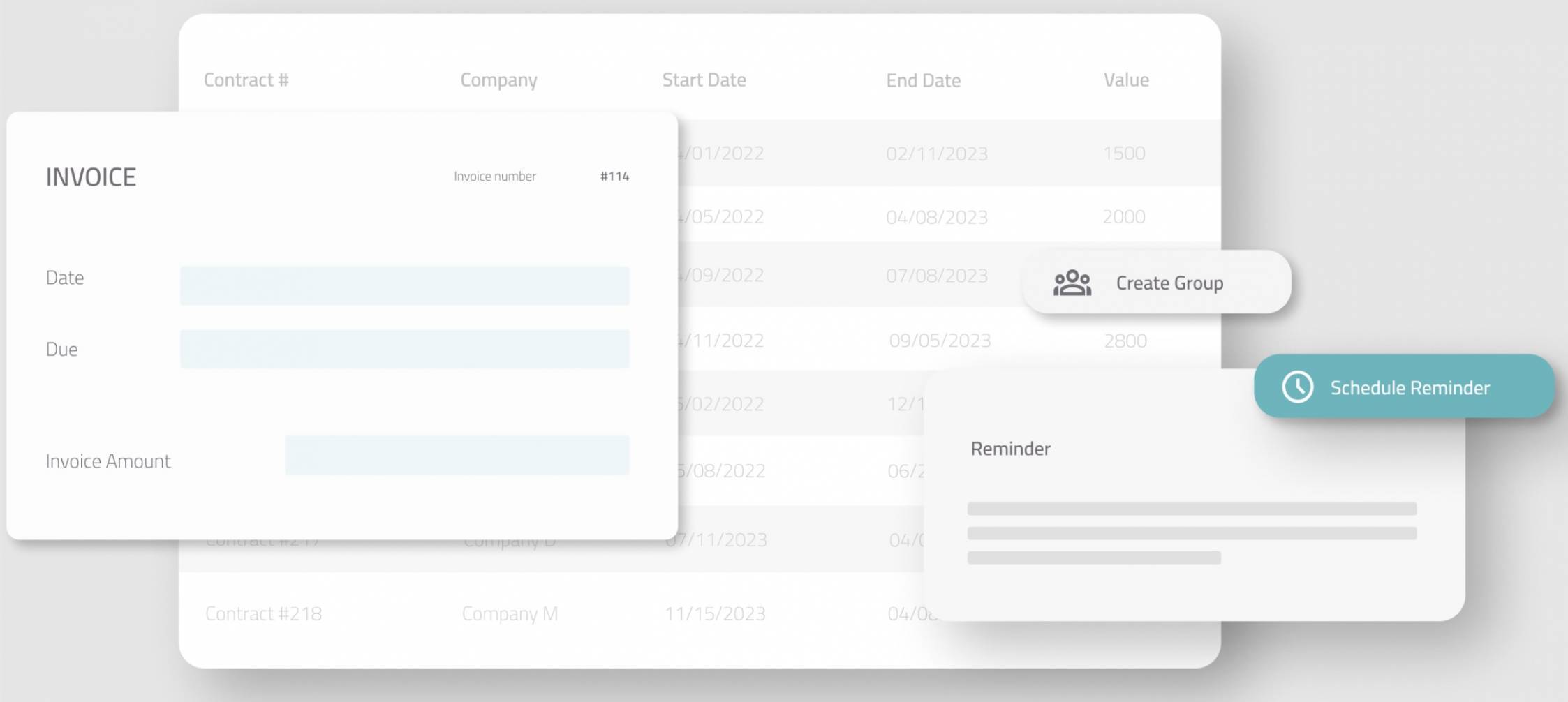
Image via Younium
7. Handle Disputed Invoices Without Damaging the Relationship
Handling a disputed invoice well means resolving the disagreement quickly without stalling the rest of the payment or straining the relationship. A dispute isn't a collections problem to steamroll; it's a question that needs a clear, fast answer.
- Log the dispute and pause escalation on the disputed line only. Keep collecting on everything that isn't in question.
- Gather the evidence trail. Pull the PO, the contract, and the usage statement into one place before you respond.
- Set a resolution SLA. Agree on a timeframe and name an owner so the dispute doesn't drift.
Line-level audit trails and change orders, the kind Younium keeps automatically, let you isolate the disputed line instead of freezing the whole invoice.
Want disputes settled without freezing an entire invoice? Book a Younium demo to see line-item billing in action.
8. Track AR Aging, KPIs, and Cash Forecasting
AR aging, a few core KPIs, and short-term forecasting together tell you what you're owed, who's slipping, and when cash will actually land.
Start with the numbers that show the state of your receivables:
- AR aging schedule. Bucket open balances by days past due: current, 1–30, 31–60, 61–90, and 90+.
- DSO (days sales outstanding). The average number of days to collect, calculated as (AR ÷ credit sales) × days in the period.
- CEI (collection effectiveness index). The percentage of receivables you collect within a period.
- Percentage overdue. The share of AR that's past due, reviewed weekly.
A good dashboard plus short-term forecasting helps you see tomorrow’s cash, spot accounts that will likely miss payment, and plan collections work.
Cash forecasting is really just about peeking into the future. Instead of waiting until the end of the month to see who paid, you use what you already know – contract terms, customer habits, past payment patterns – to make a good guess at when money will actually hit the account. That way, you’re never caught off guard.
Now layer on real-time data, and suddenly you’re not working with guesswork anymore. You’re seeing live signals – who’s paying on time, who’s slipping, and where collections might stall. That live view is what turns a forecast from a static spreadsheet into a tool you can actually run the business on.
Younium provides real-time subscription insights and customizable dashboards that surface SaaS KPIs (MRR, ARR, churn) and let you build filtered views for accounts receivable metrics – so you can turn subscription events into forecast inputs quickly.
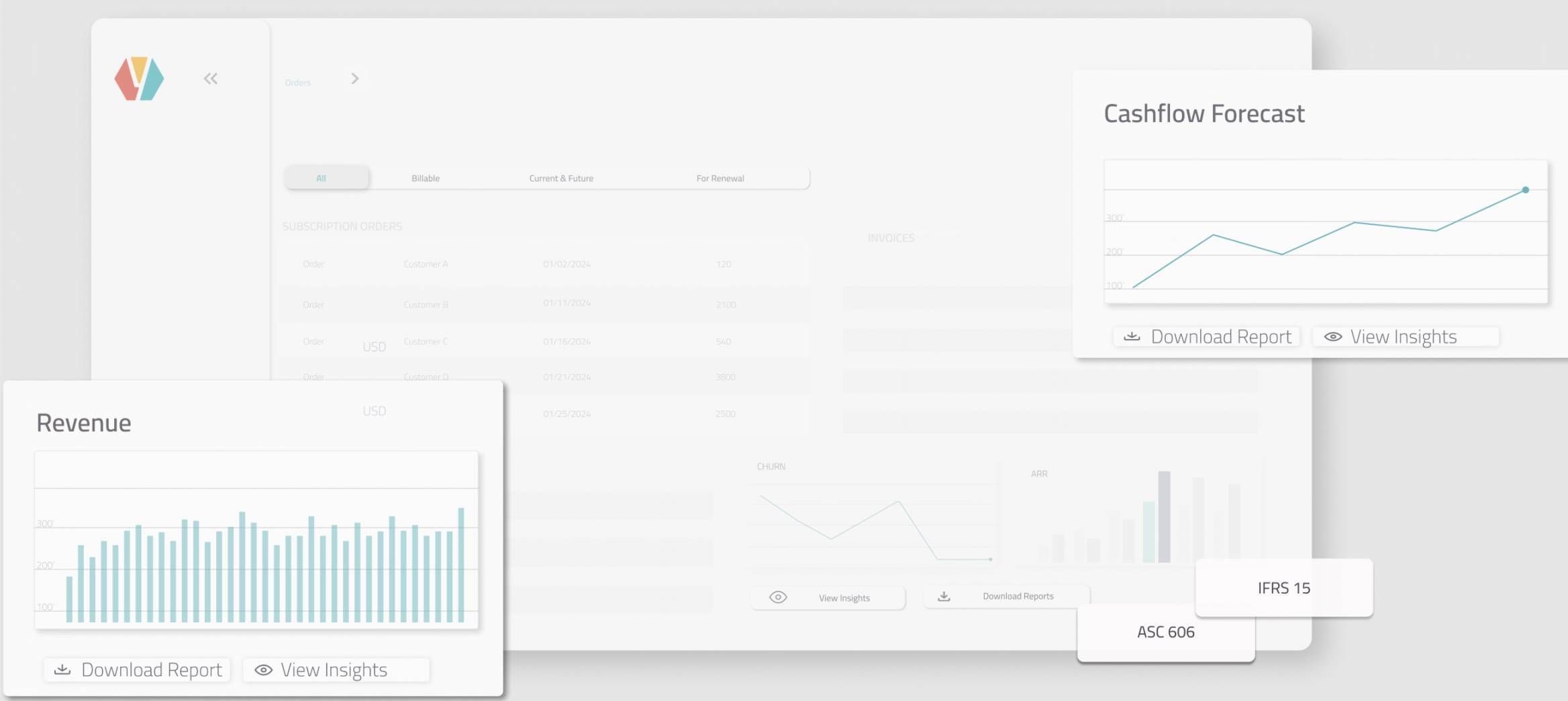
Image via Younium
Also Read:
- Forecasting Subscription Revenue: How to Do It Right
- How to Ace Subscription Management and Revenue Forecasting
9. Set Standard and Customer-Specific Payment Terms
Payment terms are set when an invoice is due. Standardizing them, with documented exceptions, keeps collections predictable.
If every customer pays on their own schedule, accounts receivable management quickly turns into chaos. Some invoices come in after 30 days, others drag into 90, and suddenly, Finance is stuck in detective mode, trying to figure out who owes what and when.
The first step is creating a standard – something simple like net 30 or net 45 – and applying it across the majority of your contracts. This gives your team predictability and makes reporting far easier.
But in B2B SaaS, especially with enterprise clients, you’ll often need to make room for exceptions.
Maybe a client insists on net 60 to match their internal procurement process. Maybe a strategic account wants milestone-based billing tied to project deliverables. Those requests can be valid, but only if they’re structured and clearly documented.
The trick is to make terms predictable. Every payment term should be mentioned in the contract, be clear to the customer, and automatically appear on invoices.
Two levers are worth setting deliberately:
- Early-payment discounts. A common structure is 2/10 Net 30: the customer takes 2% off if they pay within 10 days, otherwise the full amount is due in 30. Use it selectively – a 2% discount for paying roughly 20 days early works out to about 37% on an annualized basis, so it's expensive money if you offer it across the board.
- Late-payment fees. State them in the contract and apply them consistently, so they're a predictable term rather than a surprise.
10. Automate Bank Reconciliation Imports
Automated bank reconciliation pulls in bank statements, reads each incoming payment, and matches it to the right invoice, so cash gets applied without manual hunting.
Imagine a finance person spending half a day hunting through bank CSVs to find which wire paid which invoice. That slow, error-prone work is exactly what automation fixes.
Automating bank reconciliation imports means your system pulls in bank statements (or receives feeds), reads each incoming payment, and matches it to invoices or credit memos — so unapplied cash gets resolved quickly and your accounts receivable team can focus on exceptions, not routine matching.
Start with the match, but plan for the exceptions
Automatic matching should handle the clear cases first: exact remittance references, exact amounts, and customer identifiers.
For everything else, have simple rules that fall back to a short human review queue. That keeps the majority of cash applied automatically while ensuring odd cases get quick attention.
A few practices to do this right:
- Require a unique remittance reference on every invoice: Make a short code that customers can put in the payment description so matches are straightforward.
- Schedule daily bank imports: Don’t wait for month-end; daily imports keep unapplied cash low and make collections predictable.
- Use confidence scores: Let the system mark matches as “high confidence” or “needs review” so humans only touch the doubtful ones.
- Keep a small, focused exceptions queue: Present unresolved payments with a couple of one-click actions (apply, create credit, request clarification) to speed handling.
- Allow tolerances for rounding or fees: Automatically handle tiny differences (bank fees, currency rounding) but flag larger mismatches.
- Post bank fees and FX impact automatically: Record fees and exchange differences to keep your books clean.
Why does it matter?
Automating bank imports shortens the time to clear payments and cuts manual errors.
11. Store Customer Payment Information Securely
Storing payment data securely means keeping card and bank details in encrypted, compliant systems, never in spreadsheets, email, or shared drives. For recurring billing, especially, the safest data is the data you never hold yourself.
- Keep details out of ad-hoc storage. No card or bank numbers in spreadsheets, email threads, or filing cabinets.
- Use PCI-compliant, encrypted providers. Let a specialist payment provider hold the sensitive data.
- Tokenize stored details for recurring billing. Store a token instead of the raw card number, so the actual data never sits on your systems.
Younium integrates with Stripe and GoCardless for collection and is SOC 2 compliant, so payment data stays with PCI-compliant providers rather than in your own records.

Image via Younium
12. Centralize Global AR and Automate Multi-Currency Handling
Centralized global AR gives you one view of every open invoice across entities, while still issuing each one in the customer's local currency with the correct local bank details.
When you bill customers across countries and use different legal entities, AR can splinter fast: invoices are in separate systems, remittance instructions vary by currency, and consolidation becomes a monthly headache.
Centralizing AR gives you one place to see open invoices across entities — while still honoring each contract’s local currency and bank details.
The easiest way to deal with this is to make the system do the work.
The billing platform should issue invoices in the customer’s currency, include the correct local bank details, and post the resulting payment to the right legal entity automatically.
Younium supports multi-company and multi-currency setups, lets you map invoices to different bank accounts by currency, and offers multi-entity consolidation settings to define a group currency and rates, which makes both invoicing and consolidation smoother.
A few more to set up:
- Invoice in customer currency, but post to the correct legal entity: Automate currency mapping so finance doesn’t rebook entries manually.
- Configure bank accounts per currency/entity: Ensure invoices automatically include the right remittance details for wires or local transfers.
- Set up group consolidation rules early: Pick a group (reporting) currency and how FX rates are sourced so rollups don’t require weekly fixes.
13. Align the AR Process With Revenue Recognition
Aligning AR with revenue recognition means every invoice ties back to the same contract and revenue schedule, so what you collect and what you report stay in sync.
Invoices are the source of truth for what customers owe, and revenue schedules are the source of truth for what you report. When they don’t line up, you get misstated books, slower close cycles, and more manual fixes.
So what are the common mistakes that can occur?
Common gaps are timing (invoice date vs. revenue effective date), contract credits that affect future revenue, and different teams using different IDs for the same customer or contract.
Here are some best practices to avoid these issues.
- Link every invoice to a contract and a revenue schedule: Use one canonical contract ID so AR and Revenue always refer to the same deal.
- Calculate revenue impact when you change an invoice: If you are extending credit or issuing a retroactive bill, show the revenue change alongside the AR change.
- Require a two-way check for big adjustments: When a credit or change order exceeds a threshold, have Revenue and AR teams sign off together.
- Keep an easy audit trail: Store the original invoice, the change order, and the revenue posting note together so anyone can follow the thread.
Younium’s rule-based revenue recognition and per-line recognition methods help you document why revenue was recognized a certain way, which simplifies external audits. For teams that care about clean books, Younium is a great choice.
Also Read:
- Essential Subscription Revenue Recognition Strategies
- ASC 606: What Every SaaS CFO Needs to Know About Revenue Recognition
Setting Up Your AR Process From Scratch: A Quick Checklist
If you're building an AR process from nothing, here's the order to do it in:
- Write a credit policy, and set your payment terms and credit limits.
- Standardize invoicing so it's accurate, immediate, and itemized.
- Offer multiple payment methods.
- Track AR aging and DSO weekly.
- Automate the dunning sequence.
- Reconcile payments daily.
- Store payment data securely.
Tools like Younium automate steps 2 through 7 for subscription businesses.
Conclusion
Strong accounts receivable practices turn billing from a risky, manual chore into a reliable engine for cash and customer trust.
Start small (capture contract billing fields, automate daily usage checks, and turn on bank-feed matching) and layer in integrations, dunning, and forecasting as you gain confidence.
If you want to see these ideas in action, Younium is built for subscription and contract-aware billing.
Ready to turn your AR into a competitive advantage? Book a demo with Younium to see how it can help you with accounts receivable management.
FAQ
1. What are some key accounts receivable best practices?
Here are the top five most important accounts receivable best practices you should follow.
- Automate contract-aware invoicing and amendments so every invoice matches the signed deal.
- Run a daily usage check to catch anomalies and fix billing before invoices go out.
- Integrate sales, billing, and ERP tools, so teams work from one source of truth.
- Define standard payment terms, document any exceptions in the contract, and have invoices follow them automatically.
- Automate bank reconciliation imports and use confidence scores to apply cash quickly, leaving only exceptions for human review.
2. What’s the best way to handle multi-currency and multi-entity AR?
Centralize visibility while keeping local invoicing and bank details per entity. Automate currency mapping, bank-account selection, and group consolidation rules to avoid manual rebooking.
3. How do we prevent billing errors from custom contracts?
Capture billing rules as structured contract fields (dates, proration, bank details, payment terms) so the billing engine generates invoices directly from the contract, not from PDFs or emails.
Or use an advanced tool like Younium that’s built for B2B SaaS businesses with custom contracts and pricing.
4. How does Younium help with accounts receivable management for B2B SaaS?
Younium can help you implement most, if not all, of the accounts receivable best practices mentioned above. You can use it to:
- Handle recurring and usage-based billing reliably.
- Run automated dunning and payment-collection workflows.
- Connect the stack with prebuilt connectors and an API.
- Support multi-company and multi-currency billing plus audit trails.
And a lot more!
5. What KPIs should I track to measure AR performance?
Track days sales outstanding (DSO), the collection effectiveness index (CEI), the percentage of AR overdue, and your AR aging schedule. Review them weekly so a slip shows up early rather than at month-end.
6. How does AR management differ by business model?
Subscription and usage-based SaaS leans on automated, contract-aware billing and proration, because charges change mid-contract. Services and project-based businesses lean on milestone billing tied to deliverables. The fundamentals — credit policy, clear terms, aging reviews, dunning — stay the same across both.
7. What are the most common AR mistakes?
The usual culprits are extending terms with no credit policy, slow or inaccurate invoicing, never reviewing the aging schedule, and chasing payments manually instead of running a set dunning sequence.
Also Read: