











Accounts Receivable

Track & Manage Receivables Across Your Subscription Business

Younium automates payment import, matching, and overdue follow-up, and gives finance up-to-date visibility of open invoices, cash flow, and AR performance.

Group 1092
  • Quinyx-logo
  • Signicat-logo
  • Kognity-logo
  • Voyado-logo
  • Topdesk-logo
  • SecurityBridge-logo
  • Ardoq-logo
  • Ingest-logo
  • Superoffice-logo
  • Spotler-logo
  • Visma-logo
  • Catalystone-logo
Key Capabilities

From invoice to cash with less manual work

Accounts receivable in Younium uses the same data as your subscriptions and invoices, so payments, reminders and cash flow reports always stay in sync.

card-turquoise-tile
Automated payment reconciliation 

Incoming payments are matched to open invoices automatically, using invoice numbers or local payment references.

eye-turquoise-tile
Dunning on autopilot

Reminders, escalations and team notifications go out on schedule, so no one has to chase overdue invoices by hand.


check-turquoise-tile
Cash flow and aging reports

Expected cash inflows and overdue invoices in one place, in Younium Insights.
 

How it Works

From payment received to reconciled, automatically

Younium imports payments, matches them to open invoices and flags only what needs a human.

Younium MCP

Ask about your receivables

With the Younium MCP server, you can check AR status, list overdue invoices and query cash flow from your AI assistant. You can also register payments without opening Younium.

Example: "Which of our top 20 customers by ARR have overdue invoices? Show the overdue amount and the oldest due date for each."

Functionality

What Younium supports for accounts receivable

End-to-end AR automation, from payment import to cash flow reporting.

  • Partial payments with outstanding balance tracking
  • Multi-currency payments
  • Automatic write-offs within a set tolerance
  • BGMAX, CAMT and CSV imports, plus payment connectors
COLLECTIONS

Get paid on time without chasing

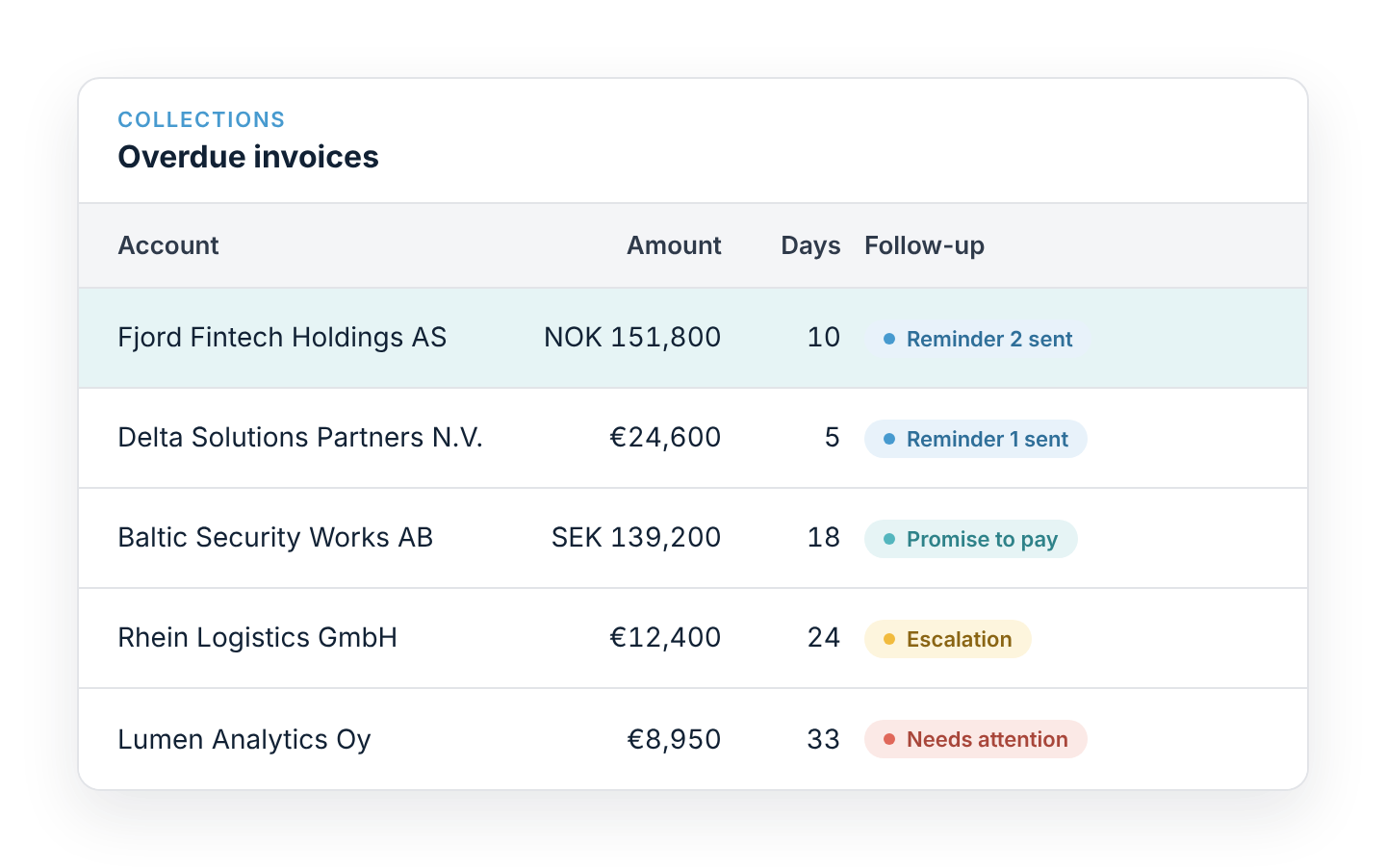
When an invoice goes overdue, Younium starts a structured follow-up automatically. Your team steps in only when an account needs a personal touch.

  • Automatic payment reminders on a schedule you set
  • Escalation steps for invoices that stay unpaid
  • Team notifications when an account needs attention
  • AI-powered collections with Paraglide: personalised outreach in 100+ languages and promise-to-pay tracking promise-to-pay tracking
younium-ar-overdue-invoices
FAQs

Learn more about Accounts Receivable

What is accounts receivable automation?

Accounts receivable automation uses software to handle the work between sending an invoice and getting paid. That covers payment matching, reminders and cash reporting. In Younium, it runs on the same data as your subscriptions and billing, so nothing needs to be re-entered.


How does Younium match payments to invoices?

Younium reads the invoice number or local payment reference on each payment, including OCR, KID, FIK and Swiss QR-bill. It matches the payment to the right open invoice in any currency. Partial and unmatched payments are flagged for review.

Which payment file formats and providers does Younium support?

You can import BGMAX, CAMT and CSV files from your bank or payment provider. You can also connect a payment provider for automatic, scheduled imports.

Can Younium automate dunning?

Yes. Overdue invoices trigger reminders, escalations and team notifications on a schedule you set. For AI-driven collections, Younium connects to Paraglide, which handles personalised outreach and promise-to-pay tracking.

How does Younium help reduce DSO?

Faster matching, automatic reminders and a clear view of what's overdue mean invoices are followed up sooner and paid sooner. Finance can see aging by customer and act before balances become long overdue.

Can we see a forward-looking cash flow view?

Yes. Younium Insights tracks expected payment dates alongside invoice due dates. Finance gets a forward-looking view of cash receipts next to the current AR position, by invoice month and cash month.

Talk to an expert

See what AR automation looks like for your team

Talk to an expert about cutting manual reconciliation and getting a clearer view of your cash.