Subscription Billing
Looking for the best SaaS billing platforms to streamline your invoicing and billing processes? Read on tLooking for the best SaaS billing platforms to streamline your invoicing and billing processes? Read on to find nine great software options to choose from.o find nine great software options to choose from.
Jump to Read
What is SaaS billing software?
How do you choose a SaaS billing platform
SaaS billing software compared
How does SaaS billing handle mid-term changes and usage pricing?
FAQs
Choosing SaaS billing software comes down to one question: how complex are your pricing, your contracts, and your legal entities, really?
A flat monthly fee billed from one entity needs very little. But once customers start adding seats mid-term, moving between plans, running a usage component alongside a subscription, and paying in three currencies across two entities, you start noticing all the things your billing tool can’t handle and your finance team has to do by hand. It’s also the fastest way to start getting revenue recognition errors.
To help you avoid that, we’ve created this guide that covers nine platforms worth shortlisting, what each one is genuinely built for, and what each one costs today. If you want the short version, start with the comparison table.
Also Read:
- What is Subscription Management? A Guide for B2B SaaS Businesses
- A Tactical Buyer's Guide for Subscription Management Solutions
What is SaaS billing software?
SaaS billing software automates recurring invoicing, proration, usage metering, and revenue recognition across the subscription lifecycle.
It is not the same thing as invoicing software. A generic invoicing tool creates a document and sends it. A SaaS billing platform holds the subscription itself as a living object: What the customer agreed to, what has changed since, what has been billed, what has been collected, and how much of that money you are actually allowed to recognize as revenue this month.
That distinction matters most in four places:
- Recurring billing runs on a schedule you set, per customer, in the currency they pay in.
- Proration credits the unused part of a plan when a customer changes mid-term and re-rates the new one.
- Usage metering ingests consumption data and prices it against the contract.
- Revenue recognition spreads billed amounts across the periods the service is delivered, under IFRS 15 or ASC 606.
Miss the last one and your bank balance and your books tell two different stories. Only one of them is defensible in an audit.
How do you choose a SaaS billing platform
Choosing a SaaS billing platform comes down to six things: Pricing flexibility, automated invoicing, revenue recognition, multi-entity and multi-currency support, integrations, and analytics.
Weigh them against three questions any buyer eventually has to answer:
- Is your pricing flat, tiered, or usage-based?
- How much recurring revenue is running through the system?
- Do you want a developer-first API or a platform your finance team can operate without engineering support?
These will help you narrow nine options to two or three quite quickly.
The six criteria
- Pricing model flexibility: Every SaaS business is different. Some offer usage-based pricing, while others charge a fixed monthly subscription fee. If you run a B2B SaaS business, you may even offer custom contracts and unique pricing for each customer, and the platform should support that without hassle – including free trials, add-ons, tiered pricing, one-time fees, and hybrid combinations of all of them.
- Automated invoicing: Invoicing is one of those tasks that sounds simple but quickly gets messy as your business grows. If you're handling recurring subscriptions, usage-based charges, one-off purchases, and proration manually, errors are a matter of when, not if. Look for consolidated invoices, custom invoice templates, automated payment reminders, and dunning logic that runs without anyone remembering to start it.
- Revenue recognition: For SaaS businesses, revenue often comes in monthly or yearly subscriptions, but the money you collect upfront can’t always be recognized immediately. Under IFRS 15 and ASC 606, you must recognize revenue as it’s earned–not when it’s received. A customer who pays $1,200 upfront for a year gives you $1,200 in the bank and $100 of recognizable revenue this month. The platform should allocate that automatically, handle proration on upgrades and downgrades, track deferred and earned revenue separately, and produce audit-ready reports.
- Multi-entity and multi-currency support: If you sell internationally, you need multi-currency transactions, location-based tax rules, tax-compliant invoice formats per jurisdiction, and – the part that catches growing companies out – the ability to consolidate several legal entities back to one base currency without a spreadsheet in the middle.
- Analytics and reporting: Your billing system should give you more than just invoices. Look for SaaS billing platforms that track key subscription metrics like MRR, ARR, NRR, LTV, and customer retention, and that let you filter by legal entity and currency rather than reporting one blended number.
- Integrations: Your billing platform can't work in a silo. It needs to connect to your CRM, your ERP or accounting system, and your analytics stack. Check whether the platform offers native integrations, APIs, and webhooks, and specifically whether the connectors you need are native or something you will be building yourself.
Also Read:
- Top Subscription Billing Platforms
- Top Accounts Receivable (AR) Software Solutions
- What is SaaS Billing? Best Practices and How-To Guide
- SaaS Revenue Recognition: Scenarios, Standards, and Method
SaaS billing software compared
Here is how the nine platforms compare on the things buyers actually sort on.
|
Platform |
Built for |
Pricing from |
Standout capability |
|
Younium |
Best for B2B SaaS teams with complex, multi-entity, multi-currency billing |
Custom, priced on recurring revenue managed |
Order versioning with full mid-term proration |
|
Stripe Billing |
Developer-led teams building billing into their own product |
0.7% of billing volume, no monthly fee |
Native tie-in to Stripe Payments |
|
Chargebee |
Teams running subscription, usage, and hybrid models together |
0.80% of monthly billing value, no platform fee |
100 million usage events a month on the entry plan |
|
Zuora |
Enterprise quote-to-cash across many revenue types |
Custom, contact sales |
Breadth of revenue models in one system |
|
Recurly |
High-volume recurring subscriptions, with a DTC lean |
$249/month + 0.9% of billing volume |
Machine-learning dunning and churn recovery |
|
Maxio |
Fast-growth B2B SaaS wanting billing and rev rec in one place |
$599/month up to $100k monthly billings |
Chargify billing plus SaaSOptics revenue recognition |
|
Paddle |
Companies that want a merchant of record to own tax liability |
5% + 50¢ per checkout transaction |
Paddle is the seller of record and files the tax |
|
Zoho Billing |
Small teams already inside the Zoho ecosystem |
$29/organization/month (subscription billing needs the $69 tier) |
Deep native integration with Zoho apps |
|
Outseta |
Bootstrapped founders wanting billing bundled with CRM and auth |
$47/month + 2%, up to 1,000 contacts |
Billing, auth, CRM, email, and help desk in one product |
The best SaaS billing software
Here are the nine platforms worth shortlisting, and what each one is genuinely built to handle.
Younium
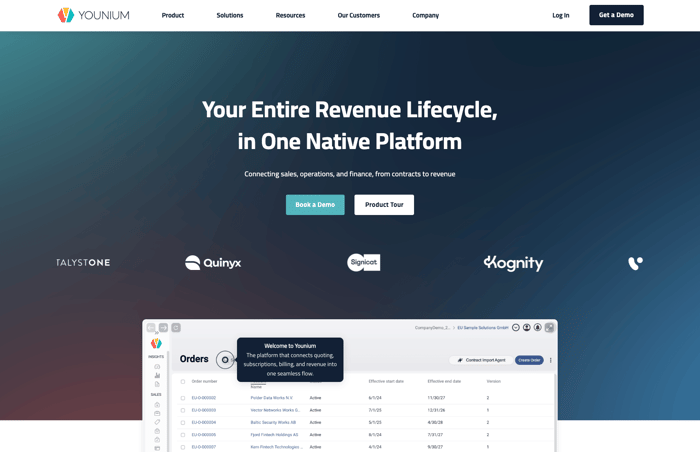
Younium homepage
Younium is the subscription billing platform built for B2B SaaS finance teams with complex, multi-entity, multi-currency contracts.
It automates recurring billing and subscription management so you can focus on growing your business instead of getting bogged down with administrative tasks.
The core of it is order versioning. Every change to a subscription – seats up, seats down, a term extension, a mid-term renegotiation – creates a new version of the same order, with the difference captured as a booking. That is what lets finance report on new business, expansion, downsell, and index adjustments separately instead of watching one blended ARR number move.
Who is it for: Younium is a great fit for SaaS companies embracing hybrid growth models, where both product-led and sales-led strategies are in play. Its support for flexible pricing, including flat-rate, tiered, and usage-based billing, makes it easy to manage self-serve subscriptions alongside complex enterprise contracts, all in one platform.
Who is it for: Younium is a strong fit for B2B SaaS companies embracing hybrid growth models, where both product-led and sales-led strategies are in play. Its support for flexible pricing – flat-rate, tiered, and usage-based billing – makes it easy to manage self-serve subscriptions alongside complex enterprise contracts, all in one platform. That complexity is the point: Younium is built for multi-entity, multi-currency B2B billing and mid-term contract changes, not high-volume consumer plans. Because those setups are genuinely complex, Younium runs a scoping and data-migration phase with an implementation team, so you go live on best practices rather than an off-the-shelf signup.
Key Features
- Supports flat-rate, tiered, and usage-based pricing models
- Automates recurring billing, renewals, and proration to reduce manual work
- Versions every order change, so expansion and downsell are tracked as separate bookings
- Consolidates invoices to include recurring and one-time charges
- Supports revenue recognition under IFRS 15 and ASC 606
- Provides real-time reporting and in-depth SaaS analytics for data-driven decisions
- Seamlessly integrates with CRMs, ERPs, and accounting systems to centralize operations
- Handles multi-currency transactions and consolidates multiple legal entities back to one base currency
- Offers advanced revenue recognition and deferred revenue tracking for accurate financial reporting
Pricing
Younium prices on the recurring revenue it manages on your behalf, not on your total revenue, with the number of legal entities as a secondary factor. There is no public price list; pricing comes out of a scoping conversation. Younium CPQ is priced separately, per user.
Want to see how Younium handles your billing model? Book a demo, and we'll walk through it with your actual contract structure.
Stripe Billing
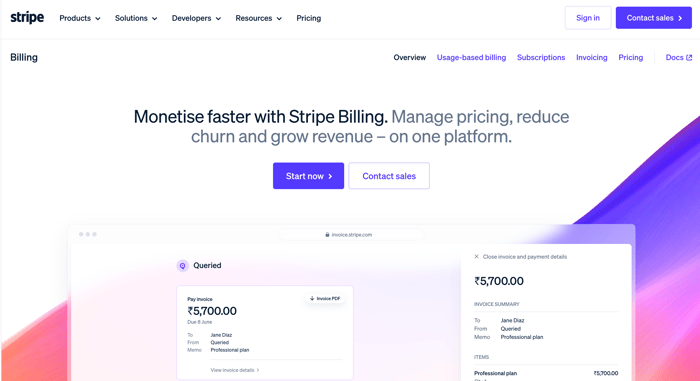
Stripe Billing homepage
For developer-first teams that live in the API, Stripe Billing is a common starting point. It handles billing cycles, invoices, and customer renewals efficiently, adapts to various pricing models and billing scenarios without complicated setups, and sends automated invoices and tracks payments accurately.
You can also monitor your revenue with clear, real-time reporting. And since it’s part of the Stripe ecosystem, it integrates with Stripe Payments, which allows it to manage taxes and currency conversion for international sales.
Where Stripe Billing asks more of you is outside the payments flow. G2 reviewers describe a portal that covers the basics and pushes anything beyond them into code – "there are too many features only available via coding into a website or commerce solution" – and note that invoice template customization is limited. It is less suited to multi-entity B2B finance teams that need native ASC 606 revenue recognition and CPQ without engineering support.
Key Features
- Automates recurring billing and subscription renewals
- Supports diverse pricing models and billing cycles
- Generates customizable invoices and receipts
- Provides real-time analytics and financial reporting
- Integrates natively with Stripe Payments
- Manages global transactions and tax calculations
- Offers self-service options for customer billing
Pricing
- Pay as you go: 0.7% of billing volume, with no monthly fee
- Flat tiers: from $620 per month for up to $100,000 in monthly billing volume, on an annual contract
- Custom pricing: Tailored pricing for large businesses or those with unique business models
Chargebee
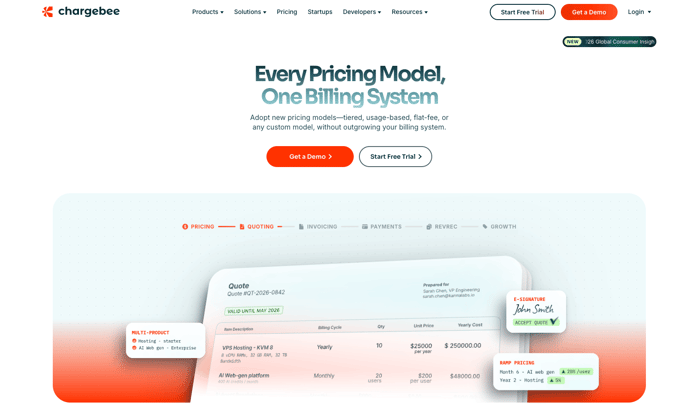
Chargebee homepage
Chargebee is one of the platforms buyers most often name alongside Younium and Zuora when the billing model spans subscription, usage, and hybrid pricing at the same time. Its entry plan includes 100 million usage events a month, which is the sort of headroom that matters if you are metering API calls or AI tokens rather than seats.
Where teams run into friction is reporting depth and integration consistency. One finance executive on G2 writes that "many of our reporting requirements are not supported in Chargebee. Even though there's an option to build reports, consolidation is not available across multiple categories" – which is the specific gap Younium closes with entity-level consolidation. Others describe the HubSpot connector as unpredictable, "sometimes really fast and sometimes painfully slow," and a settings layer that takes time to learn.
Key Features
- Handles subscription, usage-based, and hybrid pricing models
- Includes 100 million usage events per month on the entry plan
- Automates recurring invoicing, renewals, and dunning
- Supports multi-currency transactions and regional tax rules
- Integrates with major CRMs, accounting systems, and payment gateways
Pricing
- Flow, pay as you go: no platform fee, 0.80% of monthly billing value
- Flow, monthly commitment: $99 per month plus 0.65% of monthly billing value
- Enterprise Plus: custom, annual commitment
Also Read:
- Younium vs. Chargebee: Choosing the Right Subscription Platform for B2B SaaS
- 12 Top Chargebee Alternatives and Competitors in 2026
Zuora
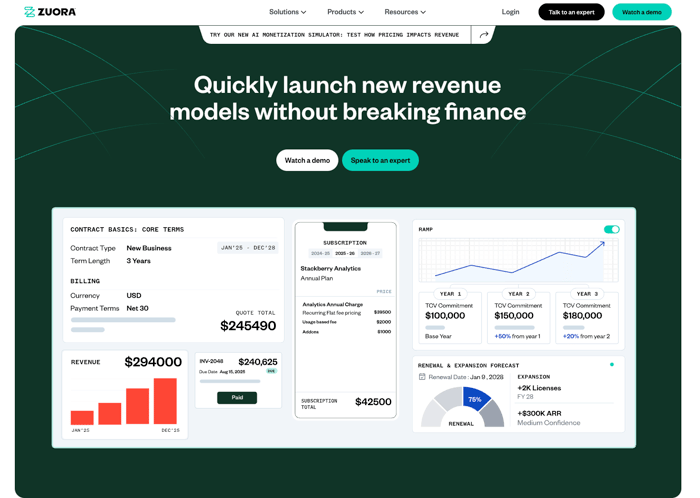
Zuora homepage
Zuora sits at the enterprise end of this market, covering quote-to-cash across subscriptions, hybrid bundles, complex usage and, more recently, AI token consumption. That breadth is why it appears on large-company shortlists, and it's also what G2 reviewers tie to its setup cost: one describes "a steep learning curve" where "because of many custom integrations, our use case took more developer time than expected," while another notes it's "very overpriced if your pricing model is simple."
The trade-off is worth being precise about, because a platform built to serve every revenue type still has to be configured down to the one you actually have, and there's no certainty up front that the configuration lands where you need it. Younium takes the opposite approach, staying narrow and purpose-built for B2B recurring revenue, which is what makes connector setup faster to get value from.
Key Features
- End-to-end quote-to-cash across subscriptions, usage, and hybrid bundles
- Handles multiple revenue types in one system
- Enterprise-scale billing, payments, revenue, and accounts receivable
- Extensive customization through custom integrations
Pricing
Zuora does not publish pricing. You can either book a demo or talk to an expert.
Recurly
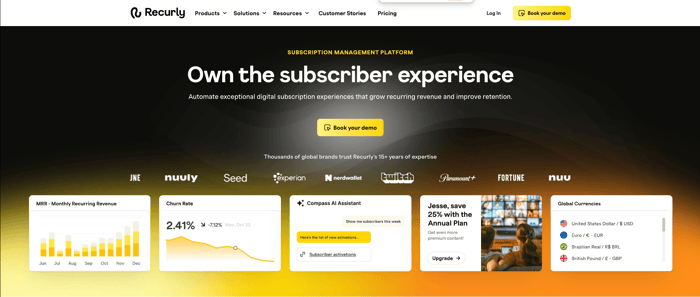
Recurly homepage
For high-volume recurring subscriptions, particularly on the direct-to-consumer side, Recurly is a well-established option. It manages recurring payments, customer subscriptions, and automated revenue recognition. Its automation of invoicing, renewals, and churn management takes a lot of the manual error out of running a large book. The reporting is detailed enough to forecast on, and it integrates with the usual payment gateways, CRMs, and accounting systems, so financial data moves through your operations instead of being exported and re-keyed.
The B2B edges are where reviewers push back. A principal product manager on G2 finds it "somewhat cumbersome to handle price localization, tax inclusive versus exclusive options, and to conduct pricing A/B tests," and adds that the documentation "is currently spread out and can be inconsistent." Another notes that "while their analytics is great, analytics for pay per usage is seriously lacking," which is worth weighing if a usage component sits at the center of your pricing.
Key Features
- Manages recurring billing and subscription lifecycles with ease
- Automates invoicing, renewals, and dunning processes to reduce manual work
- Provides real-time analytics and comprehensive reporting for revenue forecasting
- Supports multiple pricing models, including flat, tiered, and usage-based plans
- Integrates seamlessly with payment gateways, CRMs, and accounting platforms
- Ensures accurate revenue recognition and compliance with accounting standards
- Offers tools to reduce churn and improve customer retention
Pricing
- Starter: $249 per month plus 0.9% of billing volume, with the first $40,000 of monthly billings included at no charge
- All-Access: under 1% of billing volume, billed annually, with a $1 million billing volume minimum
- Add-ons: Engage from $1,600 per month and RevRec from $850 per month, both billed annually
Maxio
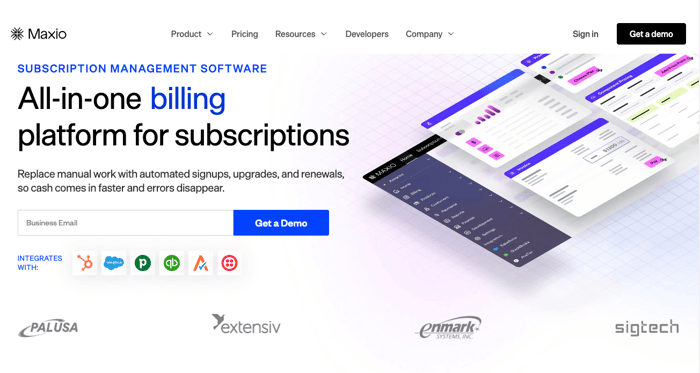
Maxio homepage
Maxio combines Chargify’s billing engine with SaaSOptics’ revenue recognition – the same billing-plus-rev-rec stack Younium models on order versioning. Recurring billing, revenue recognition, and subscription lifecycle management all run from one dashboard, with multi-currency billing, regional tax handling, and automated dunning and failed-payment recovery underneath.
Reviewers are consistent about where the friction is. A head of revenue on TrustRadius describes reporting as "a bit clunky to use and to export," with "definitely a learning curve and a long onboarding process," while a CEO reviewing the usage-based side is blunter: "the Maxio billing API is a nightmare for us...we have a usage-based billing product that consistently showed issues (incorrect invoices) every single month." Others flag limited ability to customize emails, invoices, and landing pages.
Key Features
- Automates recurring billing and invoicing
- Supports flexible pricing models and subscription plans
- Offers real-time analytics and comprehensive reporting
- Integrates with CRMs, ERPs, and other essential business tools
- Manages multi-currency transactions and global tax compliance
- Provides dunning management and recovery for failed payments
- Customizes workflows for order and revenue management
- Includes a self-service portal for customer account management
- Features a user-friendly, intuitive dashboard
Pricing
- Grow: $599 per month, for up to $100,000 in monthly billings
- Scale: custom pricing, for over $100,000 in monthly billings
Paddle
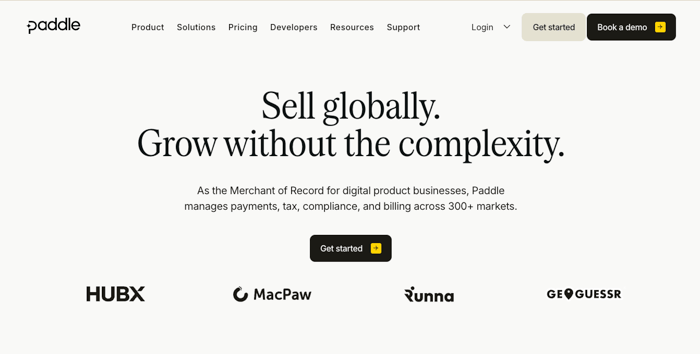
Paddle homepage
Paddle works differently from everything else on this list, because it acts as merchant of record: Paddle is the legal seller, and it takes on tax registration, filing, and remittance on your behalf. For a small team selling into a lot of countries, that removes a genuine operational burden, and it's the reason Paddle gets shortlisted despite costing more per transaction than most of this list.
You can customize pricing models, streamline the checkout, and read revenue performance out of its analytics and reporting. The trade-off is control: at 5% plus 50¢ per transaction, it gets expensive at volume, and because Paddle is the seller of record, the customer relationship and the invoice sit with Paddle rather than with you. That's a real constraint if your contracts are negotiated per customer.
Key Features
- Handles recurring billing and subscription management
- Supports multiple currencies and global tax compliance
- Offers customizable pricing models and checkout options
- Provides detailed revenue analytics and reporting
- Integrates with popular CRMs, marketing, and accounting tools
- Manages refunds, chargebacks, and failed payments automatically
- Automates invoicing and financial reconciliation
- Offers secure payment processing and fraud protection
Pricing
- Pay-as-you-go: 5% + 50¢ per Checkout transaction
- Custom: Custom pricing based on your business model, and required for products under $10 or if you need invoicing
Zoho Billing
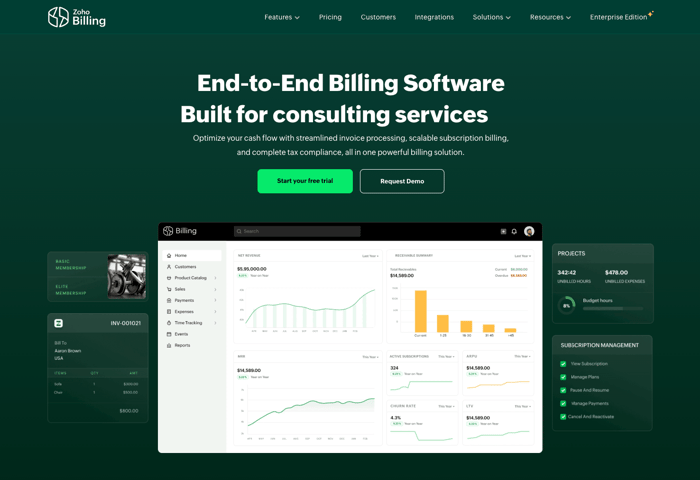
Zoho Billing homepage
For small teams already running on Zoho, Zoho Billing is the path of least resistance. It integrates with the rest of the Zoho suite and the usual third-party tools, handles multiple currencies and regional tax rules, and adapts to both flat-rate and usage-based billing, with customizable invoices and notifications so customers stay informed without anyone having to chase them.
Watch the plan boundary, though. The Standard plan handles one-time invoicing only and caps at three users, so recurring subscription billing starts on Premium. That's the tier to price against if you're comparing Zoho with the rest of this list.
Key Features
- Supports various pricing models, including flat-rate and usage-based billing
- Automates recurring invoicing and subscription renewals
- Integrates with Zoho apps and popular third-party tools
- Handles multi-currency transactions and tax compliance
- Provides real-time reporting and detailed analytics
- Customizable invoices and payment notifications
Pricing
- Standard: $29 per organization per month, one-time invoicing only, up to three users
- Premium: $69 per month ($59 billed annually), the entry point for subscription billing
- Custom/Enterprise: Custom pricing tailored to complex needs
Outseta
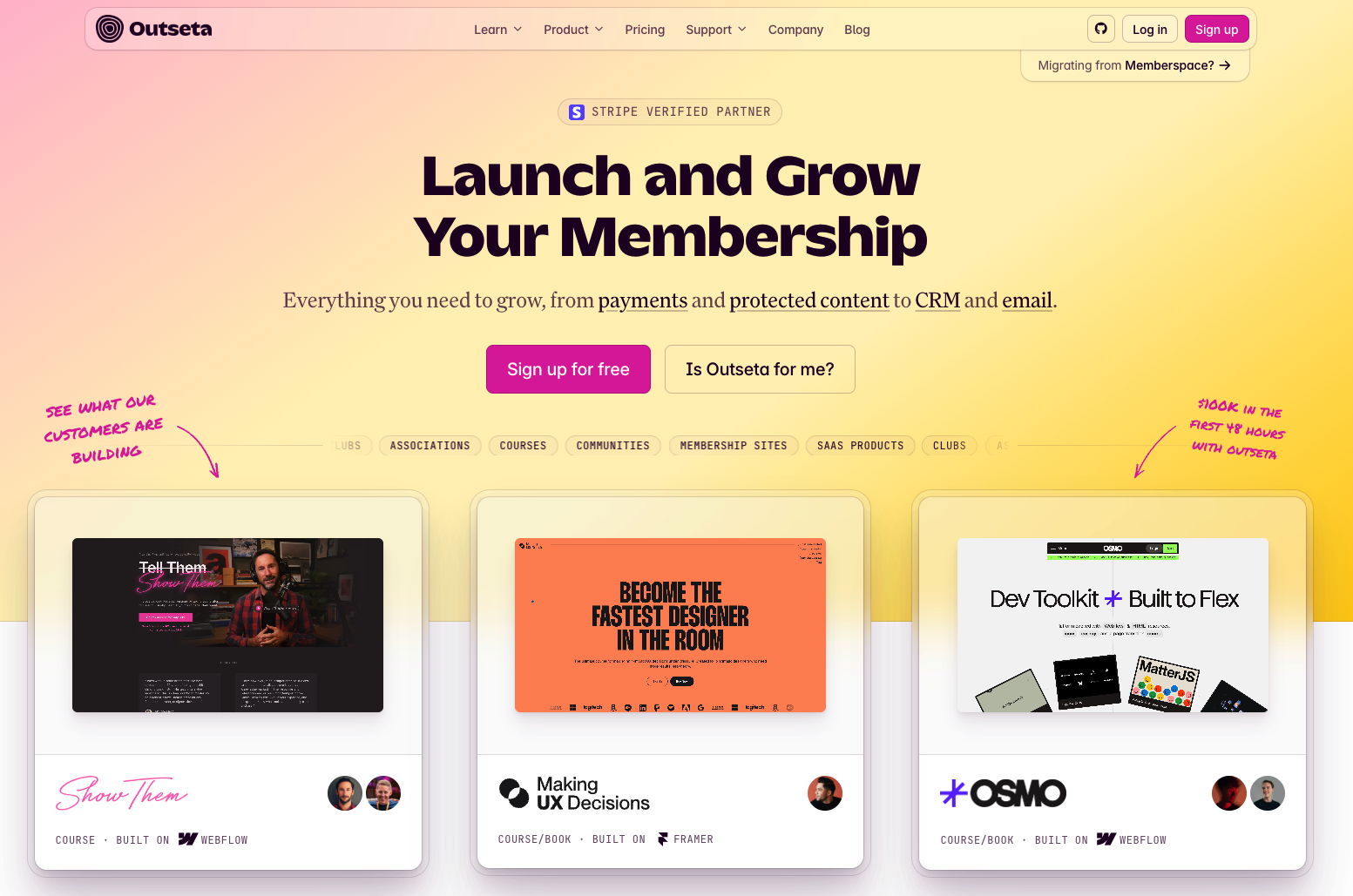
Outseta homepage
Outseta takes a bundling approach aimed squarely at bootstrapped and early-stage founders: billing, authentication, CRM, email marketing, and a help desk in one product, with unlimited team members and no per-user fees. For a two-person company that would otherwise be stitching together four tools, that is a real saving in both money and setup time.
The bands are set by contacts rather than billing volume, starting at 1,000 on the entry plan. That structure works well early and becomes the constraint later – a growing B2B company tends to hit contract complexity long before it hits the contact ceiling, and the bundle has no answer for multi-entity consolidation or ASC 606 revenue schedules.
Key Features
- Bundles subscription billing, auth, CRM, email marketing, and help desk
- No per-user fees and unlimited team members
- Pricing tiers banded by number of contacts
- Built-in signup and payment flows for self-serve products
Pricing
- Founder: $47 per month plus 2% transaction fee ($37 billed annually), up to 1,000 contacts
- Start-up: $87 per month plus 1% ($67 billed annually), up to 5,000 contacts
- Growth: $127 per month plus 1% ($97 billed annually), up to 10,000 contacts
Also Read:
- Essential Subscription Business Metrics To Track
- An Introduction to Subscription Management for B2B SaaS companies
How does SaaS billing handle mid-term changes and usage pricing?
Handling a mid-term change cleanly means crediting the unused period, re-rating the new one automatically, and updating the revenue schedule to match.
Three things have to happen when a customer adds 35 seats on the 14th of the month. The remaining value of the old subscription line has to be credited back. A new line has to be created at the new quantity and prorated from the effective date. And the revenue recognition schedule has to be rebuilt, because the amount you can recognize each month for the rest of the term has just changed.
Most billing tools do the first two. The third is where finance teams end up back in a spreadsheet.
Usage-based pricing adds a second problem. If you charge for consumption – API calls, tokens, transactions – the usage data has to arrive, be rated against the contract's tiers, and land on the invoice, all before the billing run. Rating it manually stops being possible somewhere around the second or third billing cycle.
Younium handles mid-term upgrades through order versioning: it credits the old period, re-rates the new one, and updates the revenue schedule without manual recalculation, while keeping the full version history of the order intact. Usage data pushed into Younium is rated against the contract and billed on the same cycle as everything else, so a hybrid contract with a subscription base and a usage component produces one invoice, not two workflows.
FAQ
1. What are the complexities of billing for SaaS businesses?
SaaS billing isn’t just about charging a flat fee each month. You have to manage trials, upgrades, downgrades, discounts, usage-based pricing, and different billing cycles. Add tax rules, multiple currencies, and customer changes–and things get messy fast.
That’s why automation is important, and SaaS billing platforms can help with that.
2. Why do SaaS companies need a specialized billing platform?
As discussed, SaaS billing is complex and requires specialized billing or subscription management platforms.
You need a tool that can simplify subscriptions, renewals, metered usage, and revenue recognition. A specialized subscription management platform saves time, reduces billing errors, and gives you more control over your pricing and customer experience.
Moreover, advanced SaaS billing platforms like Younium can automate repetitive tasks, thus reducing the risk of manual errors. This ensures that you bill your customers accurately and provide a great experience.
3. Which is the best SaaS billing software solution?
Younium is the best SaaS billing software for B2B SaaS companies with complex, multi-entity, multi-currency contracts and native revenue recognition requirements. The most widely used platforms in the category are Stripe Billing, Chargebee, Zuora, Recurly, and Maxio, which show up on most shortlists.
Which of them fits depends on your pricing model and scale: developer-led teams with simple recurring plans are well served by lighter tools, while complex B2B contract structures need order versioning and entity-level consolidation.
4. How can Younium help simplify the SaaS billing process?
Younium automates invoicing, revenue recognition, and subscription management for B2B SaaS companies. It supports multiple pricing models, versions every order change so mid-term amendments prorate automatically, integrates natively with your CRM and ERP, and produces real-time financial reporting by legal entity and currency.
Also Read:
- What is Subscription Billing? A Guide for SaaS Businesses
- Most Important Subscription Management Software Features
Find the right SaaS billing platform for your business
The shortlist gets short quickly once you're honest about your own complexity. If your pricing is flat and your billing runs from one entity, a lighter tool will do the job at a fraction of the cost. If you're versioning contracts mid-term, metering usage alongside subscriptions, and consolidating several legal entities into one set of books, you need a platform built for that specifically.
See how Younium handles your billing model – book a demo, and we'll walk through it with your actual contract structure.