Metrics & Reporting
Explore the best SaaS reporting tools to monitor revenue, billing, and growth. Compare features and pricing to find the ideal solution for your business.
Jump to Read:
What are SaaS Reporting Tools
Benefits of Using SaaS Reporting Tools
11 Best SaaS Reporting Tools You Should Consider
How to Choose the Best SaaS Reporting Tool
A Checklist to Choose the Right SaaS Reporting Tool
FAQ
Conclusion
SaaS finance leaders know the drill: juggling spreadsheets, ad hoc reports, and disconnected metrics quickly leads to confusion. That’s why SaaS reporting tools matter.
These SaaS reporting tools go far beyond charts and graphs. They help CFOs and finance leads unify subscription data and track metrics like ARPA and churn with accuracy.
For growing B2B SaaS companies, getting this right can mean the difference between scaling smoothly or hitting avoidable roadblocks.
So, which are the best SaaS analytics and reporting tools you can choose from?
In this post, you’ll find a list of 11 great SaaS reporting tools, along with a simple guide to help you choose the right one. Let’s get started.
What are SaaS Reporting Tools
Let’s break it down. SaaS reporting tools help subscription businesses track, analyze, and understand their performance data. These tools often fall under the broader category of SaaS analytics software.
SaaS analytics and reporting tools automatically pull information from billing systems, CRMs, or analytics tools. They turn raw data into visual dashboards and actionable insights.
Instead of managing spreadsheets or juggling multiple apps, you get a real-time snapshot of your SaaS metrics at a glance. These dashboards highlight revenue, churn, customer trends, and more.
Whether you're tracking growth or forecasting revenue, SaaS reporting tools centralize your data. This makes it easier to make faster, more informed decisions.
Also Read:
- AI in Subscription Management: What It Is and Why It Matters
- What is a Good Churn Rate for SaaS Companies? Benchmarks
Benefits of Using SaaS Reporting Tools
If you want to make sense of your business data without getting overwhelmed, SaaS reporting tools are exactly what you need.
These SaaS analytics tools help you manage and interpret business performance metrics across departments, and that’s just the start.
Still not convinced?
Let’s dive into the key benefits of SaaS reporting tools, so you understand why you should invest in them.
Get Instant Access to Real-Time Metrics
The biggest benefit of SaaS analytics and reporting tools is that you get quick access to your business’s performance metrics. You can monitor revenue, churn, signups, and more in one place and, in many cases, in real time.
This helps you make informed strategic decisions quickly, which can help you improve business performance.
You can also spot trends early and take proactive action, instead of reacting.
Stop Juggling Data Across Platforms
When you run a business, you can get performance data from multiple sources, from your CRM to other business tools. Consolidating this fragmented data manually is time-consuming and prone to errors.
That’s where SaaS reporting tools can help.
These analytics tools consolidate data from multiple sources to provide a unified view of your metrics in seconds. This provides a single source of truth for all your performance data, so everyone gets the same analytics across teams and departments.
This ensures there are no reporting conflicts and miscommunication across teams. It also reduces data silos and improves team collaboration.
Build Dashboards Everyone Can Understand
Let’s face it, some reports are so complex, they’re basically unreadable.SaaS reporting tools let you build clean, visual, and easy-to-understand dashboards without writing any code.
Whether it’s the marketing team tracking conversions or your CFO reviewing MRR (Monthly Recurring Revenue), each team can customize their view based on the metrics that matter most to them.
Look Ahead with Confidence, Not Just Back
SaaS reporting tools don’t just show you what happened, but help you predict what’s next.
By analyzing historical Saas trends, user behavior, and growth patterns, you can forecast revenue, identify churn risks, and prepare for what’s coming.
That kind of visibility makes strategic planning a whole lot smarter. Instead of reacting to problems, you can get ahead of them, and that’s where real growth happens.
You can use strategic insights from SaaS analytics and reporting tools to boost renewals, grow revenue, and understand churn more effectively.
Automate Reports and Reclaim Hours Every Week
If your team is still building weekly reports manually, you’re leaving time (and money) on the table. SaaS reporting tools automate everything — from pulling data to sending out visual reports on a set schedule.
You just need to set it up once, and your team gets what they need when they need it. You can set up automatic alerts to get notified if something changes. It’s reporting on autopilot, and it saves your team hours, which they can use to focus on what matters.
Grow Without Outgrowing Your Tools
Your startup might be small now, but what happens when you scale? The best SaaS reporting tools can scale with your business and keep up with your growing business needs.
Whether you’re doubling your team size, adding more data sources, or needing advanced data analysis, most analytics platforms on this list scale smoothly.
Most SaaS analytics and reporting tools support everything, from basic dashboards to enterprise-level insights, without requiring a full-time data engineer. Start lean, scale efficiently, and stay focused on what matters — growth.
Also Read:
11 Best SaaS Reporting Tools You Should Consider
Looking for the best way to track your recurring revenue and customer trends? Choosing the right SaaS reporting tools can determine how efficiently your subscription business scales.
From real-time dashboards to automated metrics, these SaaS analytics software solutions simplify complex data so your team can make smarter decisions. Here are the best SaaS analytics and reporting tools you can explore.
1. Younium
G2 Rating: 4.4/5
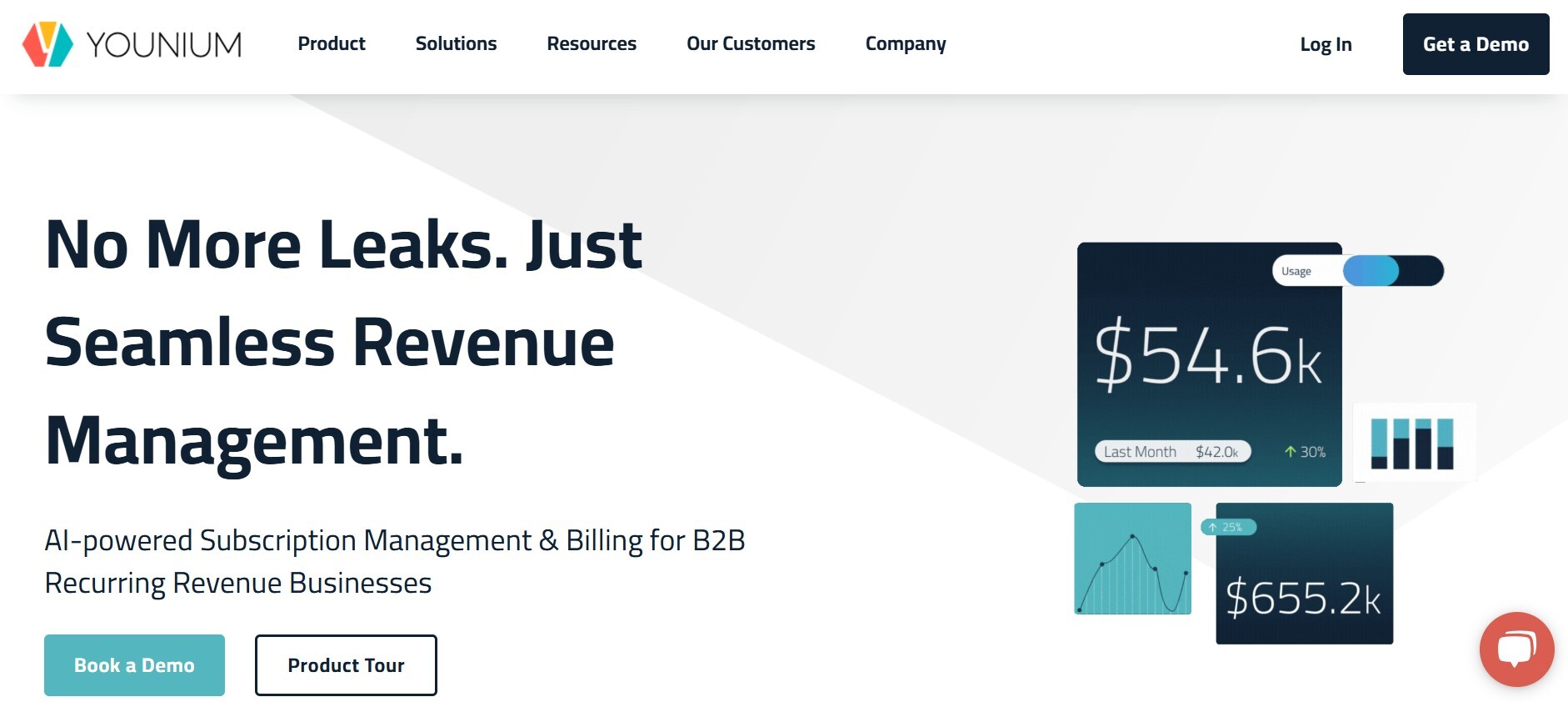
Image via Younium
Finance teams working with complex SaaS subscription models often face a serious roadblock: fragmented data and limited visibility.
That’s exactly why Younium stands out among the top SaaS reporting tools.
Designed specifically for B2B SaaS businesses, Younium combines SaaS billing, subscription management, and reporting into one streamlined platform. It gives finance teams access to clean, consolidated metrics without hassle.
Younium doesn’t just show you what’s happening, but helps you understand why. The platform offers deep insight into core SaaS metrics like MRR, ARR, ARPA, churn, and LTV across regions, product lines, or contract types.
Need to analyze revenue data by customer cohort? Younium does that. It models contract changes and forecasts revenue based on churn scenarios
Younium also enables compliance with ASC-606 and IFRS-15 revenue recognition, making financial reporting accurate and audit-ready.
What makes it one of the most reliable SaaS analytics and reporting tools is how it links billing data directly to your financial metrics. This removes data siloes and provides a single source of truth.
The platform also supports multi-entity reporting and multi-currency reconciliation, which is critical for global SaaS businesses.
That’s what makes it one of the most powerful SaaS reporting tools for mature, fast-scaling finance teams.
Key Features
- Tracks metrics like MRR, ARR, and NRR instantly
- Allows you to build dashboards with filters and widgets to view key data
- Lets you create custom reports with filters, groups, and totals
- Tracks ACV, CMRR, and TCV automatically
- Shows committed MRR, renewals, and usage charges in one place
- Provides real-time, compliant revenue data (ASC 606, IFRS 15)
- Allows you to download reports as CSV or Excel for easy sharing
- Connects with Power BI and other tools via BI Book
- Leverages AI to deliver revenue insights and analytics in response to user questions
Pricing
- Contact the sales team for pricing information
Also Read:
- How to Use AI for SaaS: Use Cases & Best Practices
- The Future of SaaS Pricing: Finding the Right Model for Growth
2. Recurly
G2 Rating: 4.0/5
Image via Recurly
Recurly is known for its billing-first approach to subscription management and reporting. It tracks SaaS metrics like Monthly Recurring Revenue (MRR), churn, plan changes, and subscriber growth, making it useful for finance teams seeking visibility into customer trends.
The platform offers real-time dashboards and scheduled reports, along with basic cohort analysis and segmentation. While it's a good fit for SaaS teams focused on billing operations, its reporting features are more limited compared to tools designed specifically for deeper financial forecasting and revenue modeling.
Key Features
- Monitors MRR, ARR, and churn with real-time dashboards
- Builds reports with filters and groups for quick analysis
- Automates revenue recognition (ASC 606 & IFRS 15)
- Tracks user behavior, retention, and churn
- Enables you to benchmark your metrics against industry standards
- Allows you to export data to CSV or Excel for easy sharing
- Uses drill-downs to provide detailed insights
- Connects to business intelligence tools like Power BI for deeper analysis
Pricing
- Startup and Small Business: $249/month (free for the first three months)
- Mid-Market and Enterprise: Custom pricing
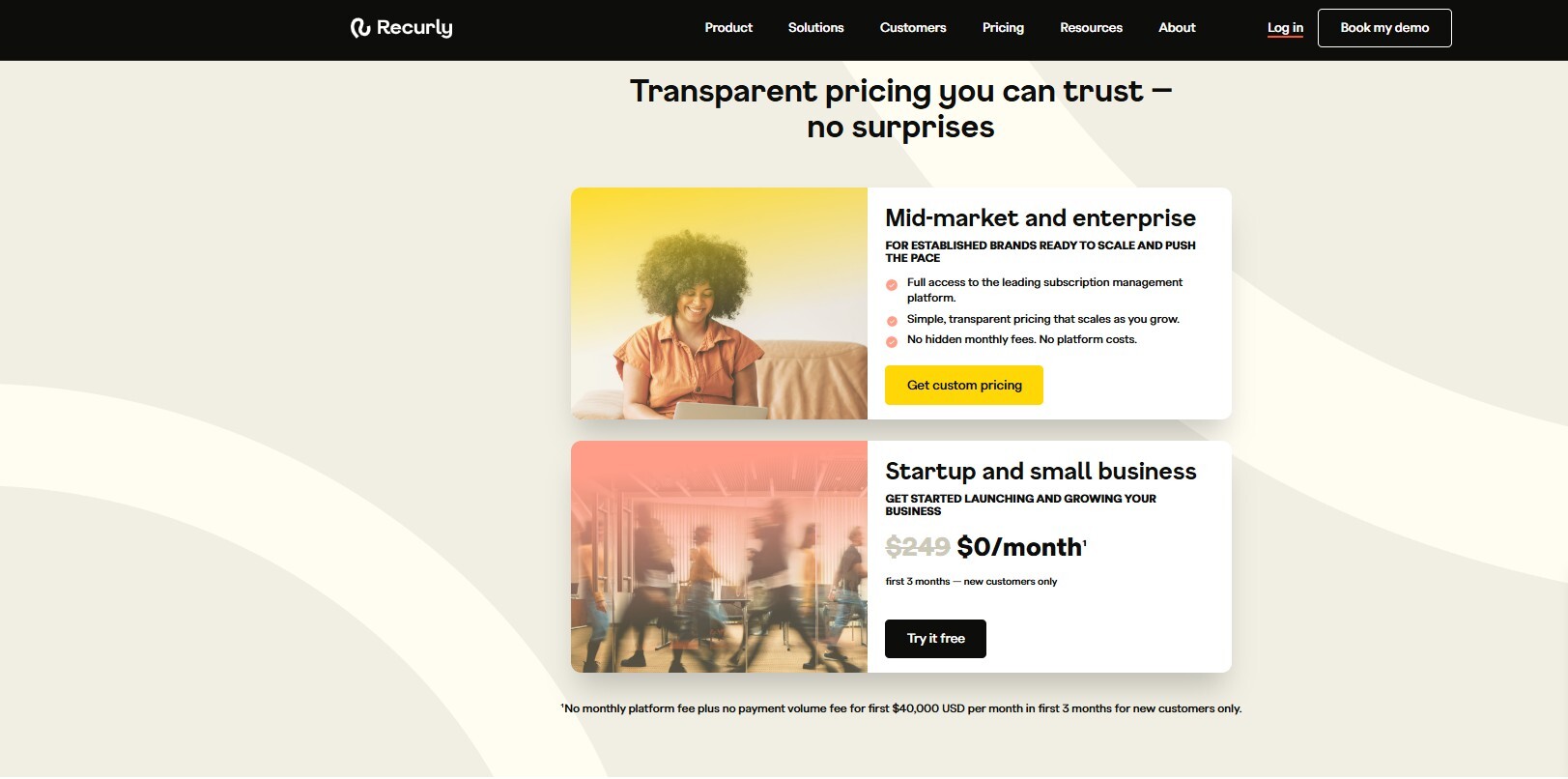
Image via Recurly
Also Read:
- How B2B SaaS Finance Teams Can Use Technology to Their Advantage
- How to Create a Subscription Revenue Model Template
3. Baremetrics
G2 Rating: 4.6/5
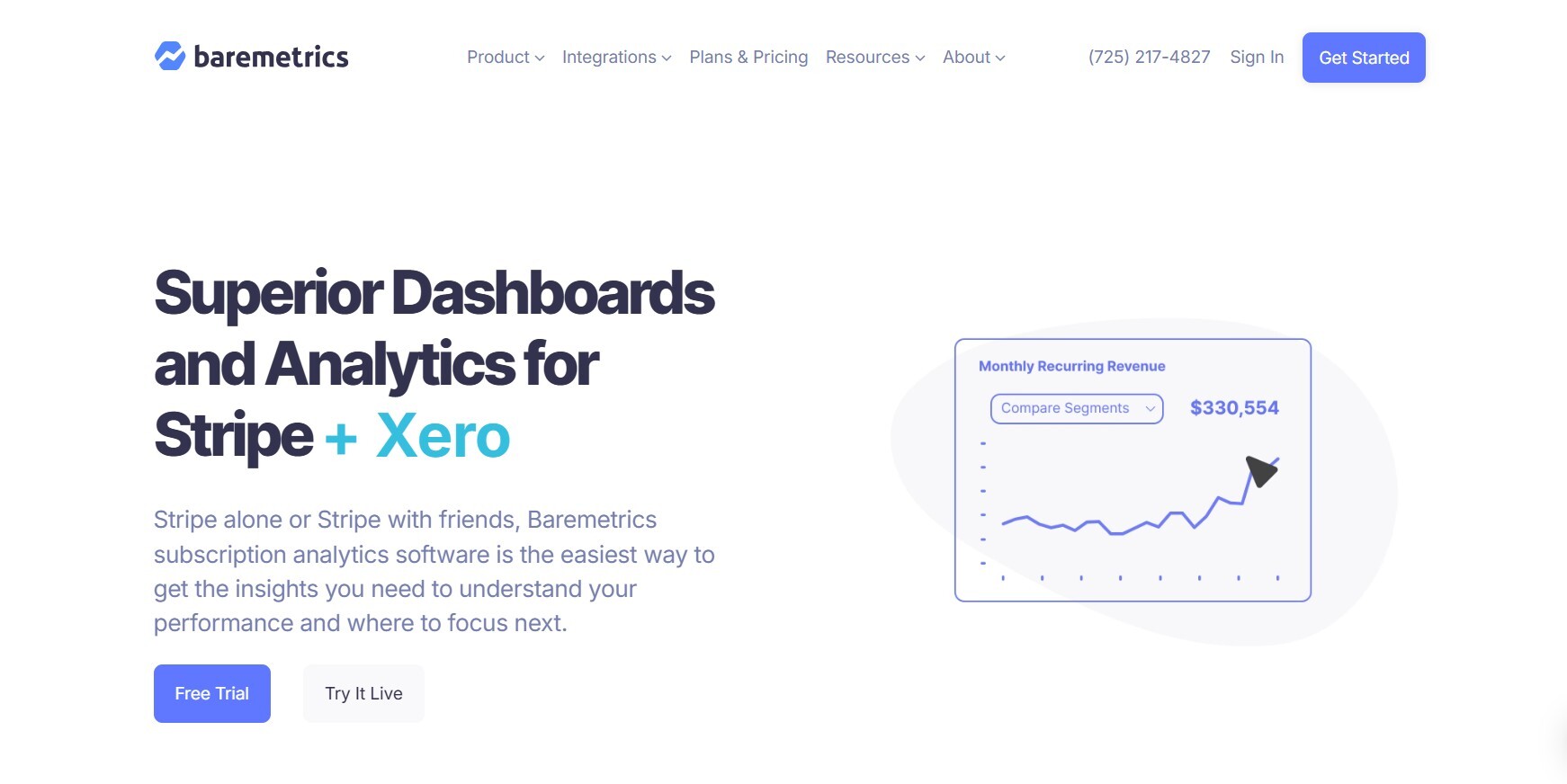
Image via Baremetrics
Baremetrics is a plug-and-play SaaS reporting tool that connects directly to your billing system—no complex setup required.
It automatically pulls subscription data and turns it into real-time dashboards that cover core SaaS metrics like MRR, churn, LTV, and ARPU.
The platform supports cohort analysis, allowing teams to track customer retention and compare performance by plan, segment, or signup date.
You also get visual reports that highlight trends in revenue growth, failed payments, and recovery rates.
For teams that value simplicity, Baremetrics offers a streamlined way to monitor SaaS performance without adding overhead.
Key Features
- Tracks 28+ subscription metrics like MRR, ARR, and churn rate
- Offers customizable dashboards with trendlines and goal tracking
- Provides detailed customer profiles, tracking payments, and behavior
- Integrates with Stripe, Shopify, QuickBooks, and more
- Offers API for custom data integration and reporting
- Provides financial forecasting to aid business planning
- Delivers real-time revenue analytics with visual reporting tools
- Enables advanced cohort and segmentation analysis for deeper insights
Pricing
Pricing for this tool is scalable and based on current MRR, ensuring you pay for what you need at your stage of growth. Here are the starting prices for $50k MRR.
- Cancellation Insights: $129/month
- Recover: $249/month
- Metrics: $300/month
- Forecast+: Included with Metrics plan
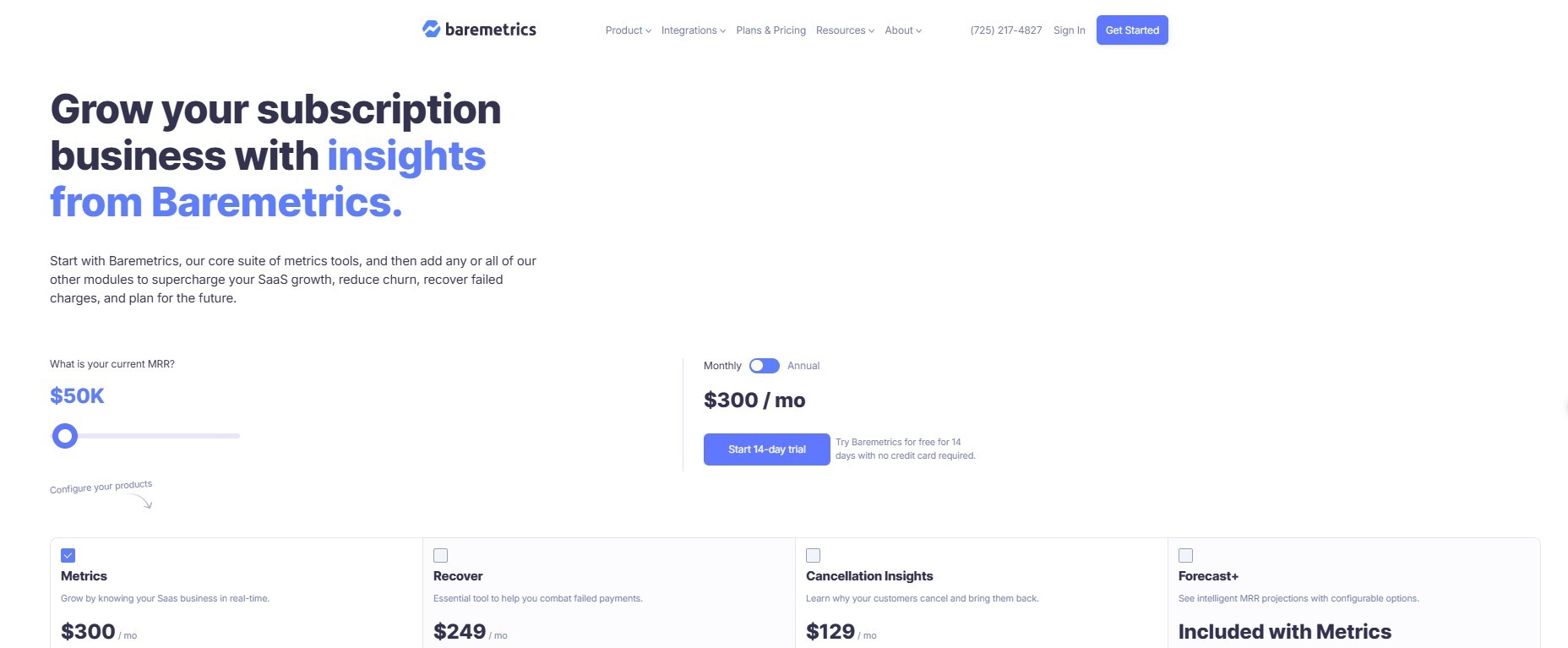
Image by Baremetrics
Also Read:
- How to Streamline Financial Processes with Subscription Billing Platforms
- AI in Finance & Subscription Management: What’s Next?
4. ChartMogul
G2 Rating: 4.6/5
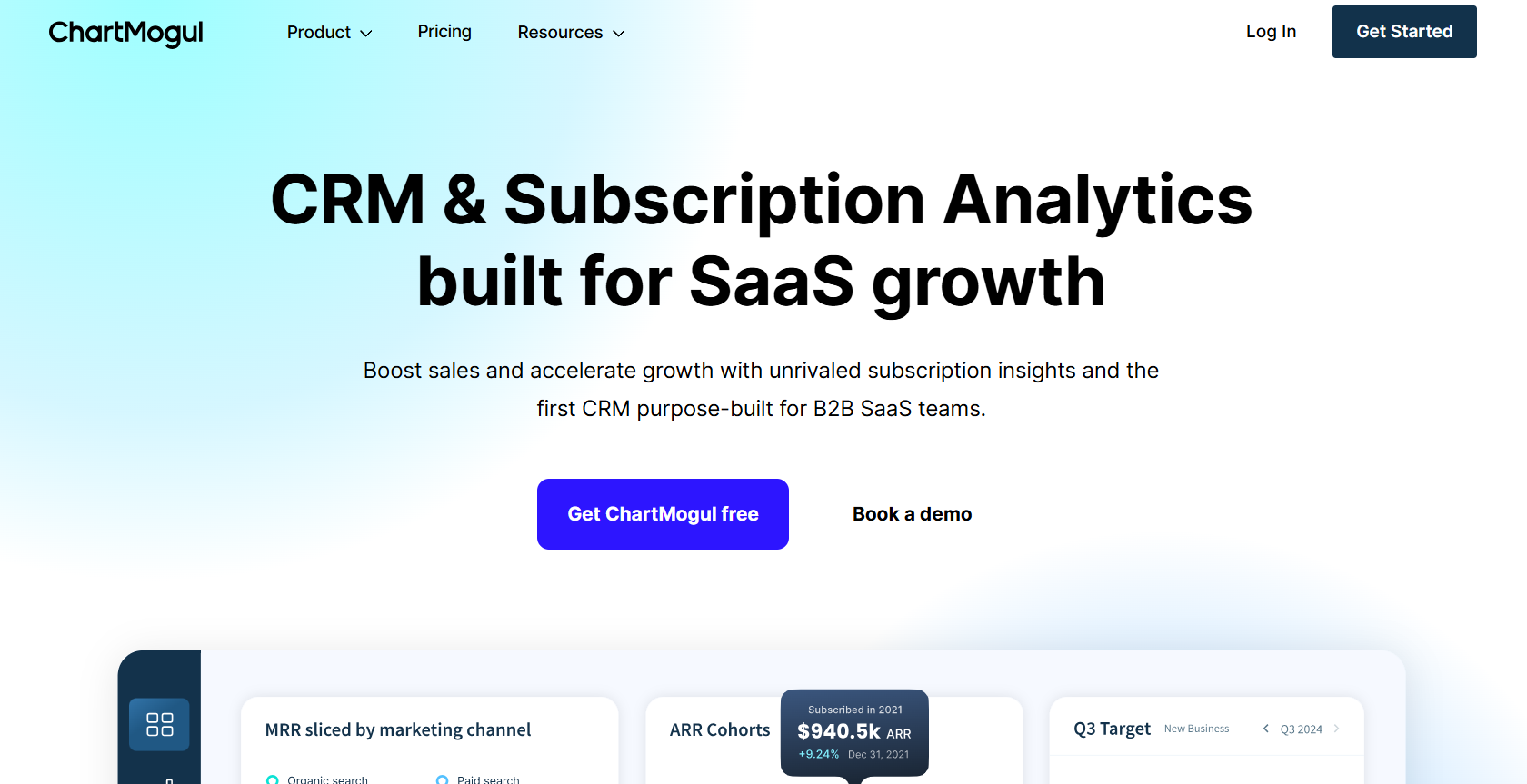
Image via ChartMogul
This is another tool on our list that can help you consolidate disconnected billing data and get access to essential business metrics quickly.
This tool gives you visibility into key SaaS metrics, Monthly Recurring Revenue (MRR), Customer Lifetime Value (LTV), churn, expansion, contraction, and more.
The platform turns raw data into customizable, export-ready reports that your finance team can use to model revenue projections or present to investors.
It supports integrations with Stripe, Recurly, Chargebee, and other billing systems, pulling data from multiple sources and consolidating it in real time.
This gives you a consistent view of your business metrics, without having to reconcile numbers manually.
If you’re looking for SaaS reporting tools that provide great data analytics and visualizations, it’s worth considering.
Key Features
- Tracks MRR, ARR, and churn to measure growth
- Monitors sales and customer activity in one place
- Visualizes trends and helps make data-driven decisions
- Automates revenue tracking to stay compliant
- Analyzes pricing and LTV to boost revenue
- Offers view ops and dev metrics to improve and track performance
- Tracks how connected tools impact workflows
- Ensures GDPR and SOC 2 compliance with ease
Pricing
- Free: $0/month (For businesses under $120K ARR — metrics, dashboards, integrations, unlimited users)
- Pro: From $119/month (For growing teams — custom reports, multiple billing sources, data warehouse integration)
- Enterprise: From $19,900/year (For scaling businesses — advanced support and features, custom pricing)
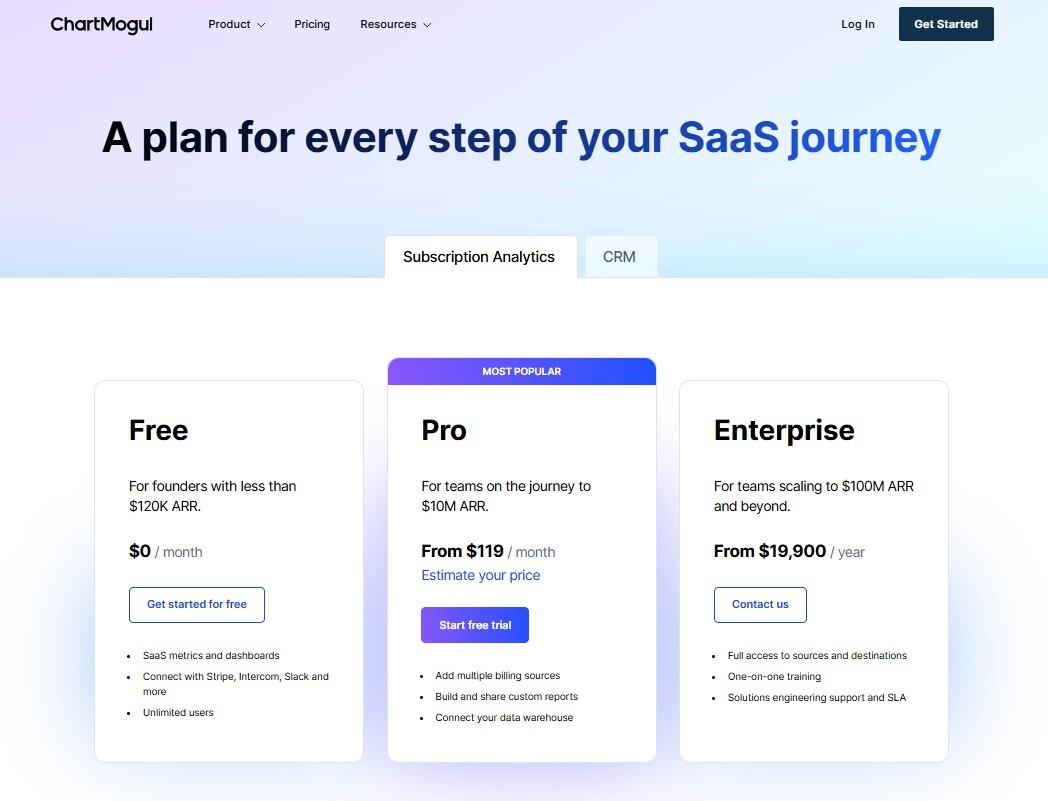
Image via ChartMogul
5. Databox
G2 Rating: 4.4.5
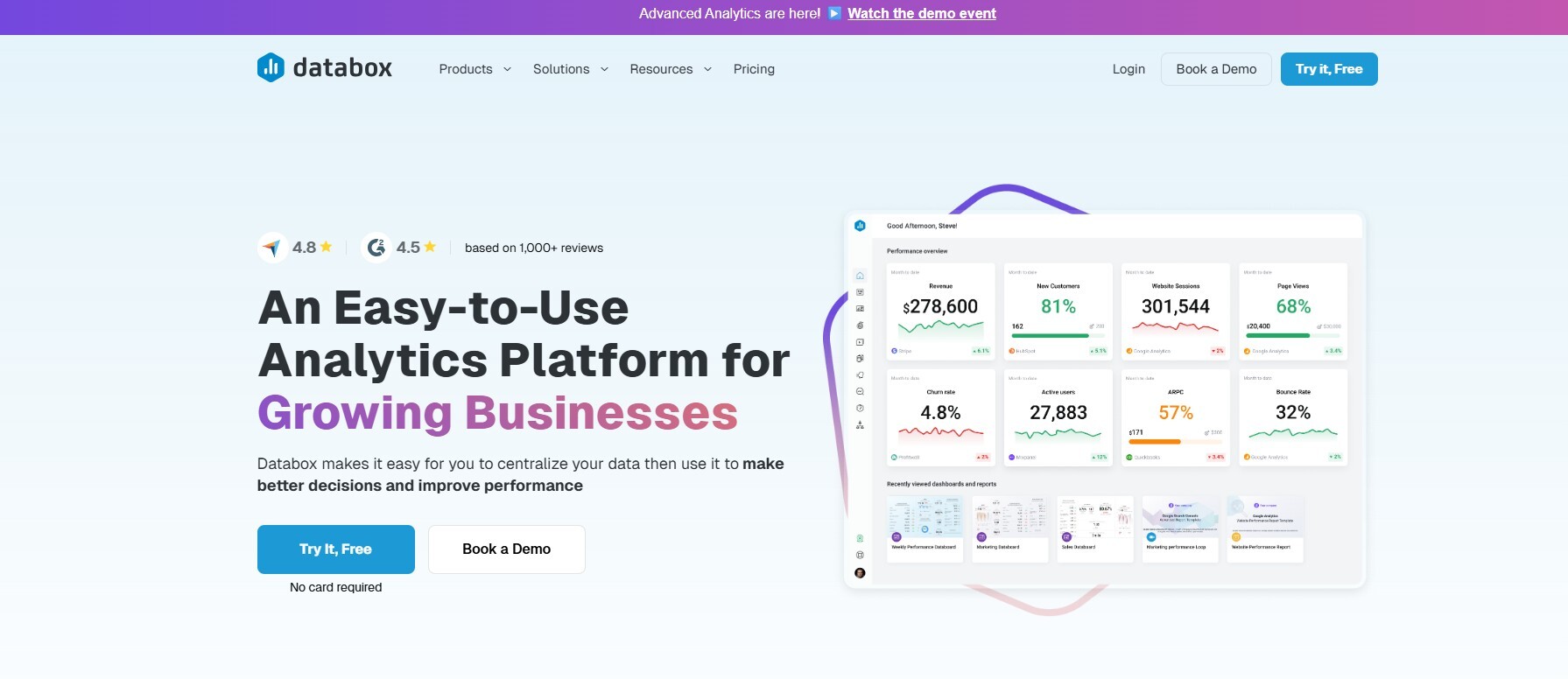
Image via Databox
Databox is one of the more agile SaaS reporting tools on our list. It can centralize performance tracking across over 70 platforms, including Stripe, Salesforce, Google Analytics, HubSpot, and more. So, you don’t need to extract and data manually from different sources.
Finance teams can easily access key SaaS metrics like Monthly Recurring Revenue (MRR), churn, Average Revenue Per Account (ARPA), and cash flow in one place.
Databox also supports custom metric formulas, giving you the flexibility to tailor calculations around your specific reporting needs. Whether you’re forecasting revenue or tracking usage-based pricing models, Databox adapts to your data.
Key Features
- Connects and visualizes data from multiple sources with pre-built datasets and a vast metric library
- Allows you to track key performance indicators with customizable dashboards tailored to business needs
- Automates reporting with easy-to-use report templates and scheduled delivery
- Provides benchmarking tools to compare performance against industry peers
- Offers forecasting capabilities to predict future trends and outcomes
- Enables goal setting and performance management to align teams and track progress
- Supports extensive integrations with popular platforms for seamless data aggregation
Pricing
- Free Forever: $0/month
- Starter: $59/month
- Professional: $199/month
- Growth: $399/month
- Premium: $999/month
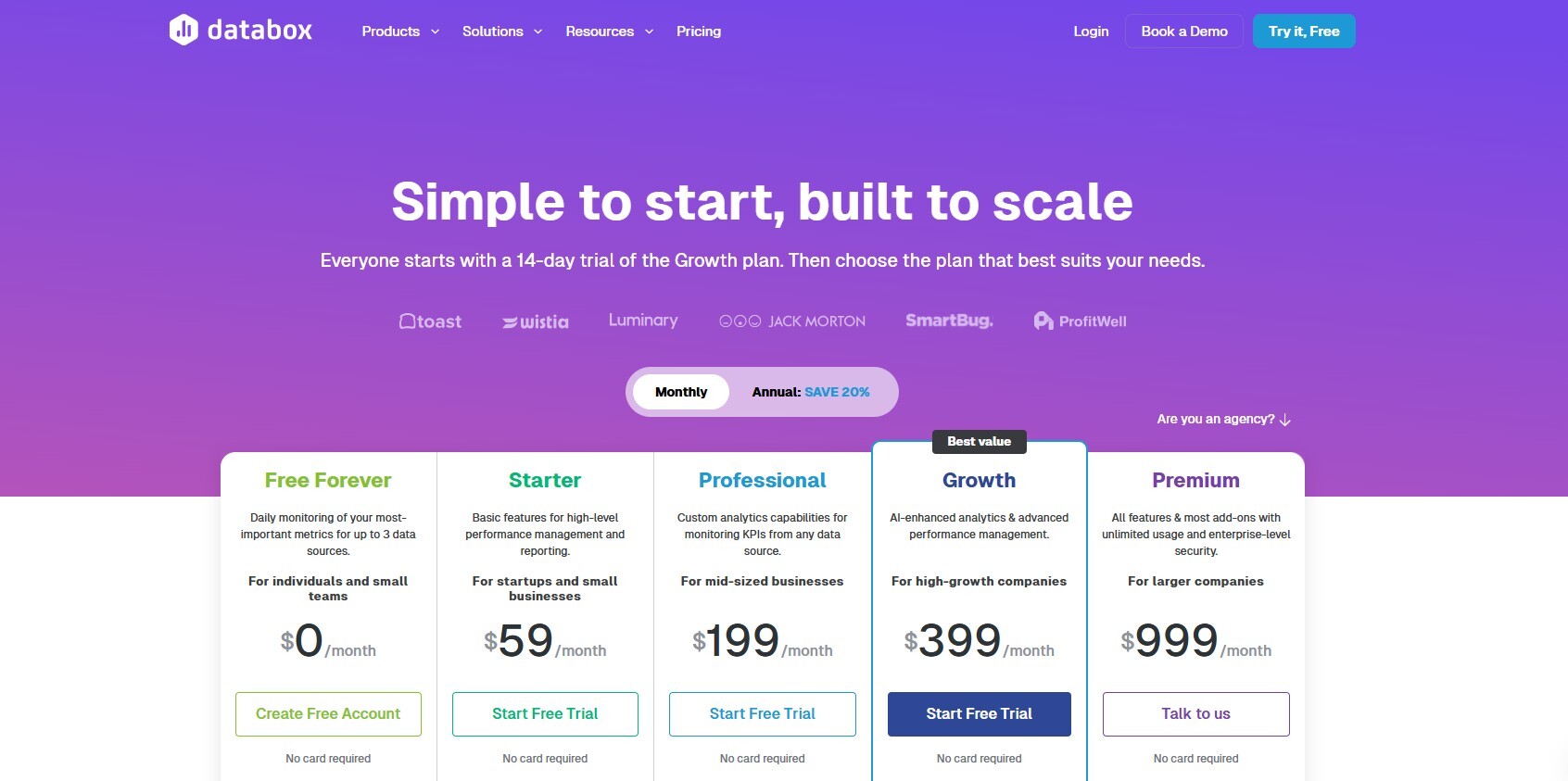
Image by Databox
Also Read:
- Data-Driven Hybrid Growth: Balancing PLG and SLG
- The Pitfalls of Revenue Recognition in Spreadsheets
6. SubscriptionFlow
G2 Rating: 4.6/5
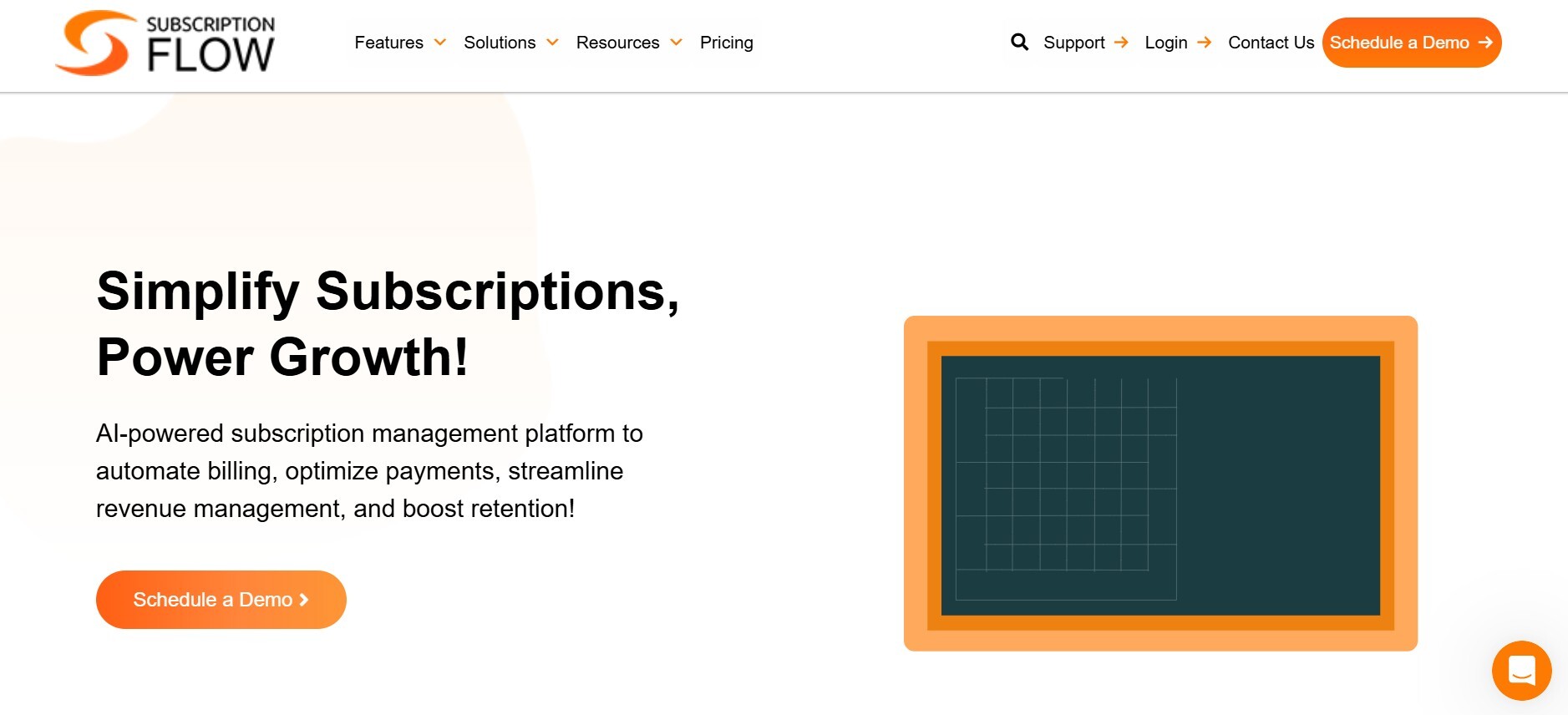
Image via SubscriptionFlow
SubscriptionFlow is another good analytics tool for subscription businesses. It offers all the essentials, so you can easily track your business’s key performance metrics.
You get dynamic dashboards that you can use to track crucial SaaS metrics like MRR, ARPA, churn, retention, and revenue recovery in real time.
It’s one of the few SaaS reporting tools that let you customize metrics to reflect your pricing tiers, customer types, or billing schedules.
You can use it to identify revenue trends quickly, which gives you the agility to respond quickly. Whether optimizing dunning or spotting churn spikes, the platform delivers deep, actionable insights.
It also integrates with CRMs, payment gateways, and accounting systems, making it easier to unify financial data across departments. SubscriptionFlow adapts to your business, not the other way around.
If your team needs a reporting solution that combines automation, flexibility, and clarity, it’s worth considering.
Key Features
- Real-time tracking of MRR, ARR, churn, and other key metrics
- Customizable dashboards accessible across departments
- Detailed financial and subscription reports, including CRR, CAC, CLV
- Flexible reporting with segmentation, filters, and scheduling options
- Comprehensive 360° analytics covering usage, billing, sales, and customer data
- Churn risk identification and retention metrics
- Automated revenue recognition and real-time forecasting
- Import and export functionality for data handling and analysis
Pricing
- Startup: $199 / month (For early-stage entrepreneurs entering the subscription market)
- Rise: $299 / month (For growing businesses looking to scale operations and revenue)
- Scale: $499 / month (For scale-ups aiming for fast-paced growth and broader market reach)
- Enterprise: Custom pricing (For large, established subscription-based enterprises)
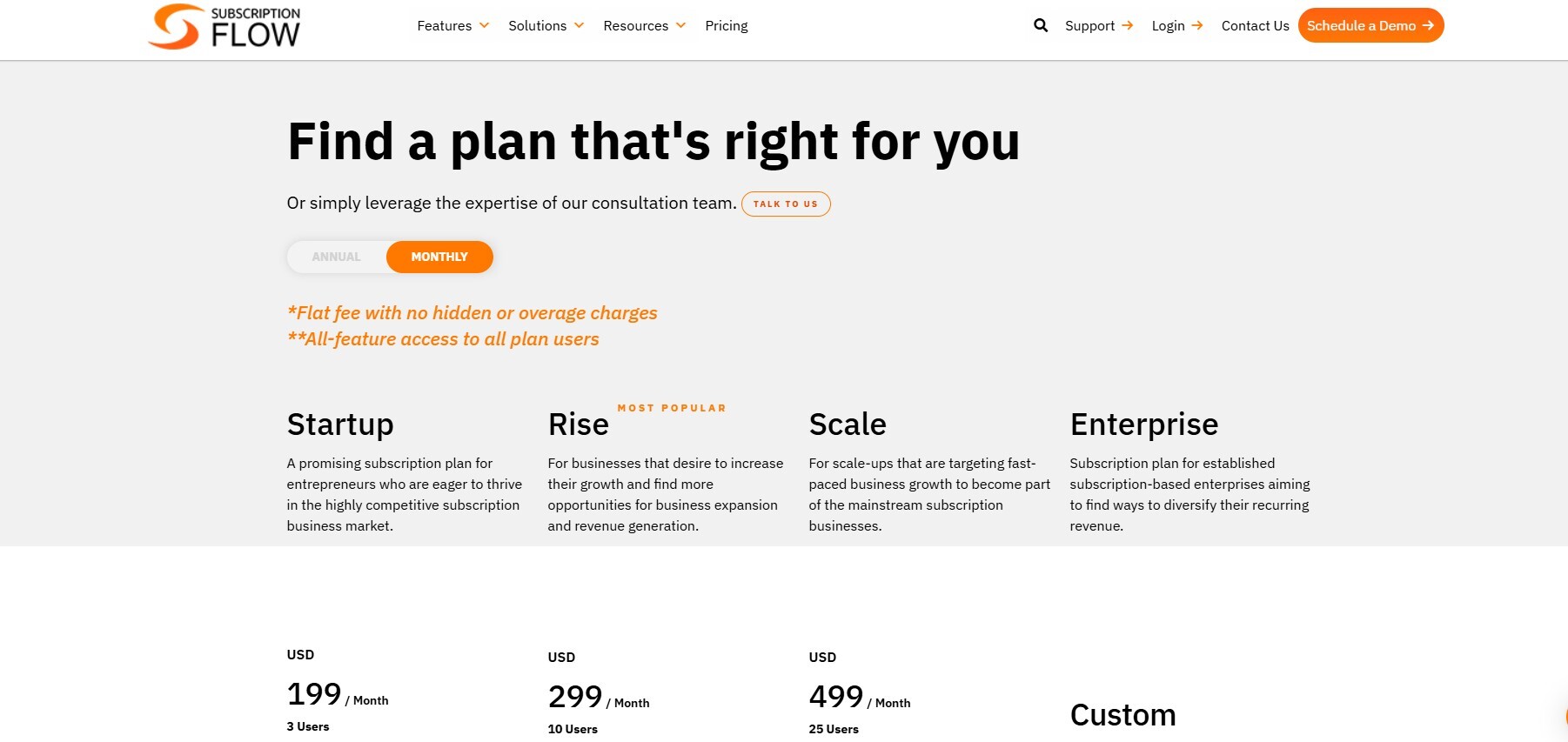
Image via SubscriptionFlow
Also Read:
- How to Use AI for SaaS: Use Cases & Best Practices
- Key metrics you need to know to grow your business
7. FirstOfficer
G2 Rating: 3.8/5
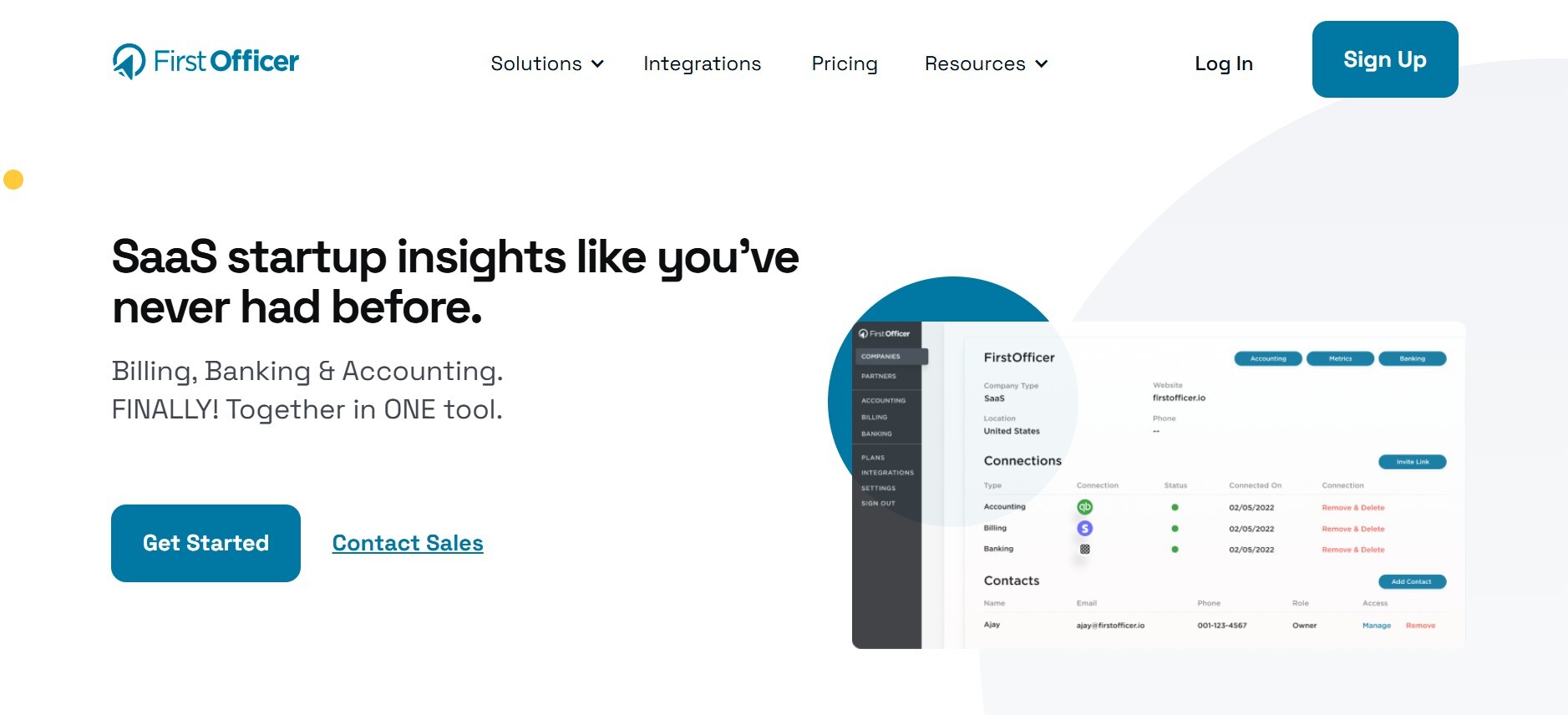
Image via FirstOfficer
FirstOfficer is next on our list of SaaS reporting tools that simplify subscription analytics for SaaS finance teams.
It connects directly to Stripe, pulls raw financial data, and turns it into clear metrics. You get MRR, churn, LTV, upgrades, downgrades, and cash flow without manual calculations.
As such, you can get reliable revenue reports that help you understand the health of your SaaS business at a glance.
It skips cluttered visuals and provides clean, audit-friendly reports for you to make fast, smart decisions.
The tool updates in real time and allows easy export options, making it simple to prepare board decks or investor updates.
FirstOfficer offers historical cohort analysis and lets you filter by customer segments, plans, or signup dates. It gives you the right SaaS metrics view without a complicated setup.
This makes it an essential SaaS analytics tool for businesses looking to track revenue movement accurately and confidently.
Key Features
- Real-time subscription metrics tracking including MRR, churn, and lifetime value (LTV)
- Comprehensive financial operations dashboards tailored for subscription businesses
- Unified revenue data aggregation across multiple platforms for holistic analysis
- Detailed trend analysis and benchmarking using historical and industry data
- Customizable reports with segmentation, filtering, and scheduling options
- Client onboarding dashboards to visualize subscription data effectively
- API access, which enables advanced data integrations and custom analytics workflows
- Secure data permission controls that ensure privacy while sharing insights
Pricing
- Custom pricing
Also Read:
- How to Create a Subscription Revenue Model Template
- Essential Subscription Business Metrics to Track
8. ProfitWell Metrics (by Paddle)
G2 Rating: 4.8/5
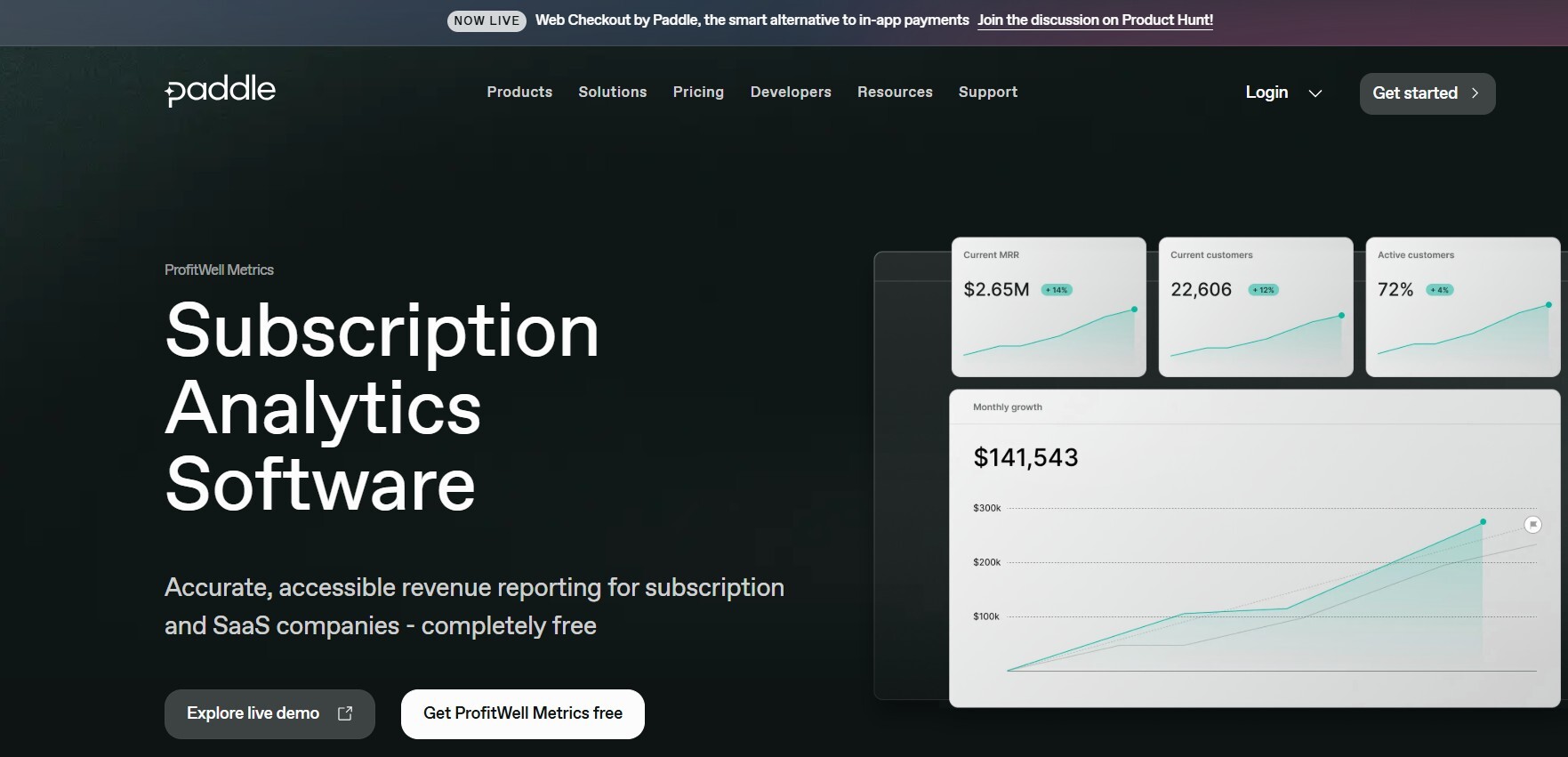
Image via ProfitWell Metrics
Though a part of Paddle, ProfitWell Metrics still operates independently. It offers visibility into key metrics like MRR, churn, ARPU, and LTV. This helps finance teams track revenue and customer behavior in real-time.
It’s a simple and straightforward tool that makes it easy for you to access SaaS analytics. It helps you save time since there’s no manual data pulling or fragmented dashboards.
Reports are accurate and easy to understand. A key feature is its seamless integration with Stripe, Recurly, and other billing platforms. So, even if you don’t use Paddle, you can still benefit from ProfitWell Metrics.
The setup is quick and requires no engineering help, so it’s a beginner-friendly SaaS analytics tool.
ProfitWell Metrics excels at detailed revenue breakdowns, tracking upgrades, downgrades, and churn precisely. Behavioral segmentation adds valuable insight, making it a must-have for serious SaaS analytics and reporting.
Overall, if you’re looking for free SaaS reporting tools, look no further than ProfitWell Metrics.
Key Features
- Tracks key subscription metrics like MRR, churn, and LTV in real time
- Displays clear dashboards for revenue, cash flow, and retention
- Provides segmentation and cohort analysis for customer insights
- Allows you to benchmark your performance against 30,000+ SaaS companies
- Measures and scores customer health to spot upgrade opportunities and churn risk
- Sends customizable alerts for important metric changes
- Integrates easily with payment platforms like Stripe and Chargebee
- Connects with CRMs and marketing tools via API and native integrations
Pricing
- Custom pricing
9. Geckoboard
G2 Rating: 4.3/5
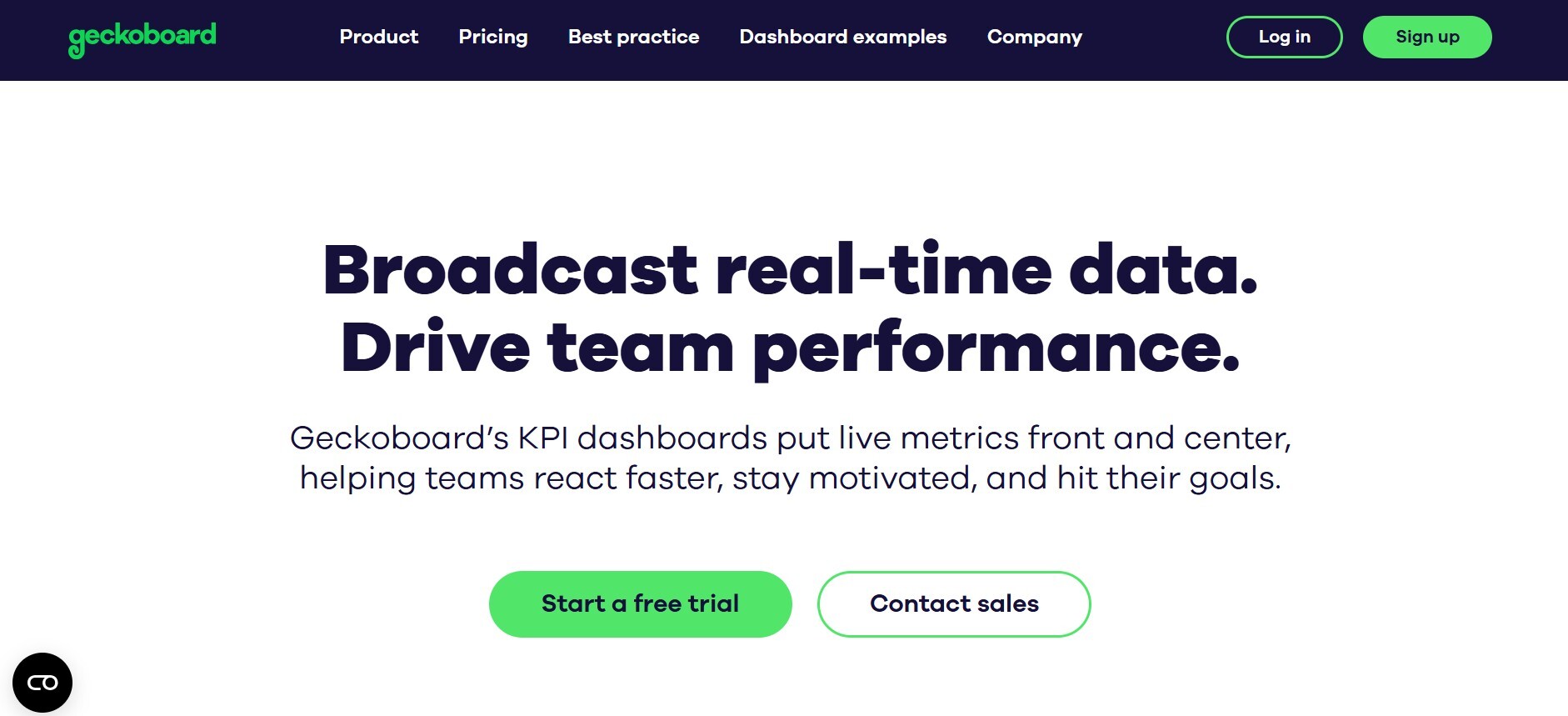
Image via Geckoboard
Geckoboard is next on our list of best SaaS reporting tools that put your most important metrics front and center.
It has a simple interface that makes live data easy to see and understand. You can use it to create sleek, customizable dashboards that teams can display in the office or share remotely, keeping everyone aligned.
The drag-and-drop editor makes it easy for you to create data visualizations with metrics like MRR, churn, and cash flow quickly.
Geckoboard integrates smoothly with popular tools like Google Sheets, Salesforce, and Stripe. This makes it easy to pull together billing, CRM, and support data in one place.
As a SaaS reporting tool, it supports real-time updates and offers custom data visualization capabilities, ensuring your dashboards stay relevant and actionable.
Key Features
- Connects with over 80 data sources, including Stripe, HubSpot, and Zendesk
- Requires no coding or SQL to create or edit dashboards
- Automatically schedules dashboard snapshots via email and Slack
- Allows you to create live dashboards for MRR, churn, NPS, and team KPIs
- Has a drag-and-drop builder for creating KPI dashboards
- Auto-refreshes with real-time business performance updates
- Generates snapshots and reports for sharing insights
- Secures sharing links and TV display mode for office visibility
Pricing
- Essential: $75/month
- Core: $219/month
- Pro: $399/month
- Enterprise: Custom pricing
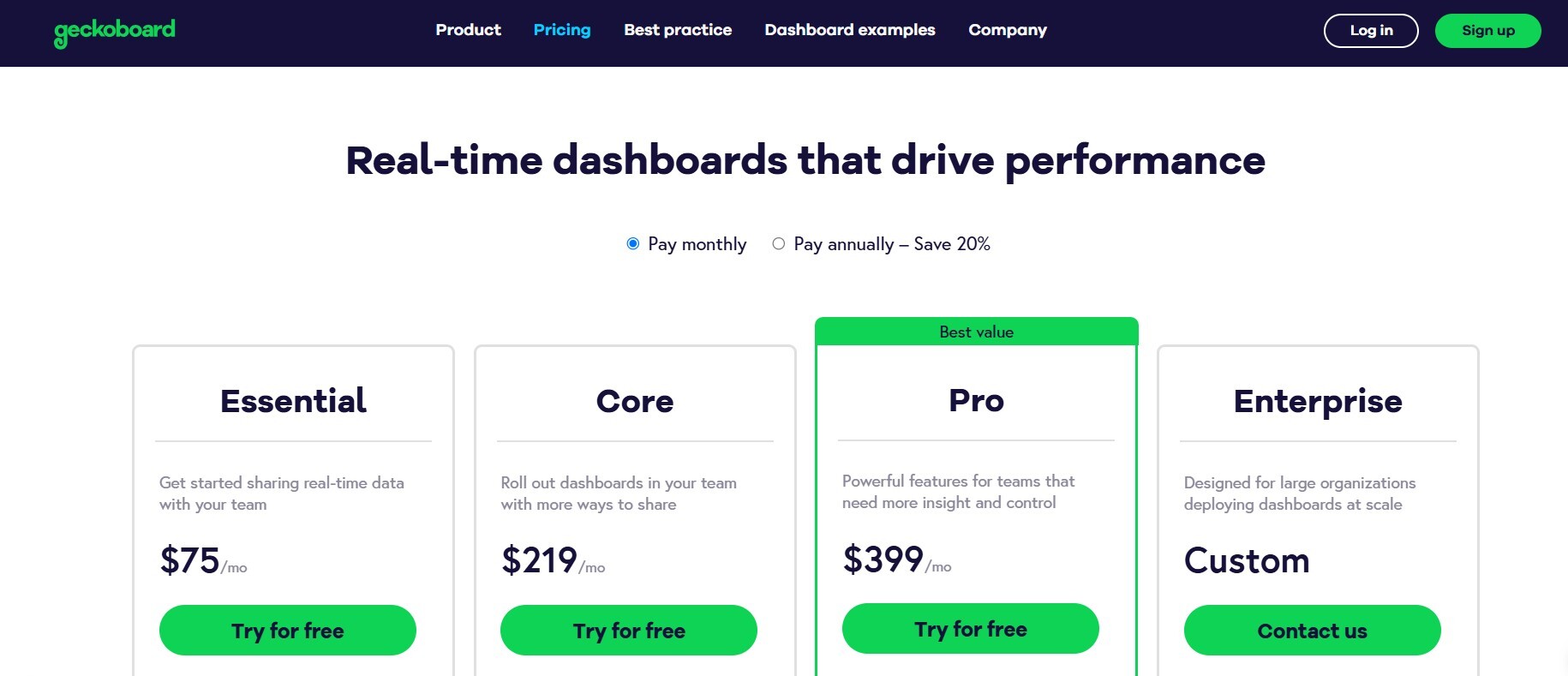
Image via Geckoboard
Also Read:
10. ProfitKit
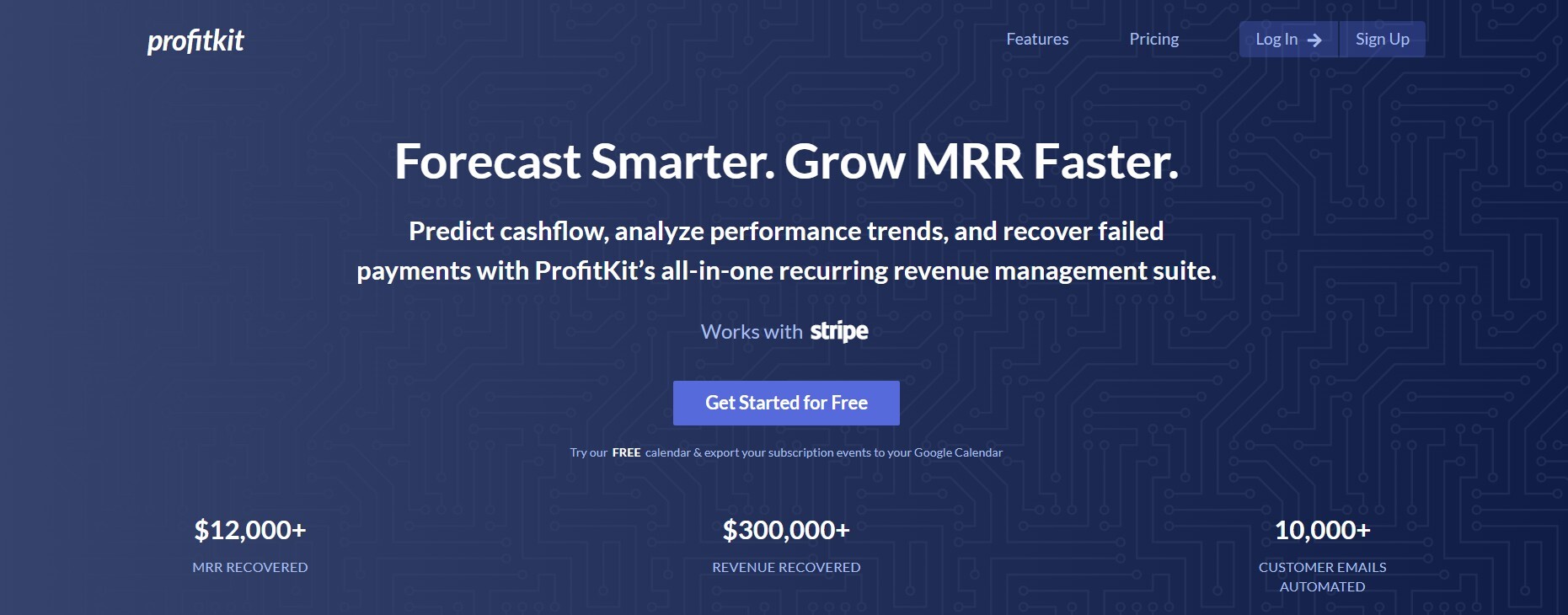
ProfitKit is a good analytics tool for growth-stage companies that need fast, clear financial performance tracking. It tracks crucial SaaS metrics like MRR, CAC, and LTV with precision and offers easy-to-understand reports.
It offers all the essentials without many bells and whistles. You will get accurate insights into your business performance with an easy-to-use dashboard.
You can create investor-ready reports, forecast growth, and instantly view your unit economics without waiting for analysts.
ProfitKit integrates seamlessly with subscription billing platforms, CRM, and accounting software, making data consolidation effortless.
As a SaaS reporting tool, it offers customizable dashboards and reporting templates aligned with board and investor expectations. Forecasting and cohort analysis features provide the confidence to plan your SaaS business's future effectively.
Key Features
- Subscription activity calendar showing daily key events
- Customizable metric calculations for precise data control
- Revenue projections based on upcoming billing dates
- Data exports for subscription and revenue metrics
- Monthly revenue forecasting against growth targets
- Digest notifications for all calendar events
- Google Calendar sync for event tracking
- Multi-currency support with automatic conversions
Pricing
- Free: $0 per month
- Lite: $19 per month
- Standard: $49 per month
- Premium: $99 per month
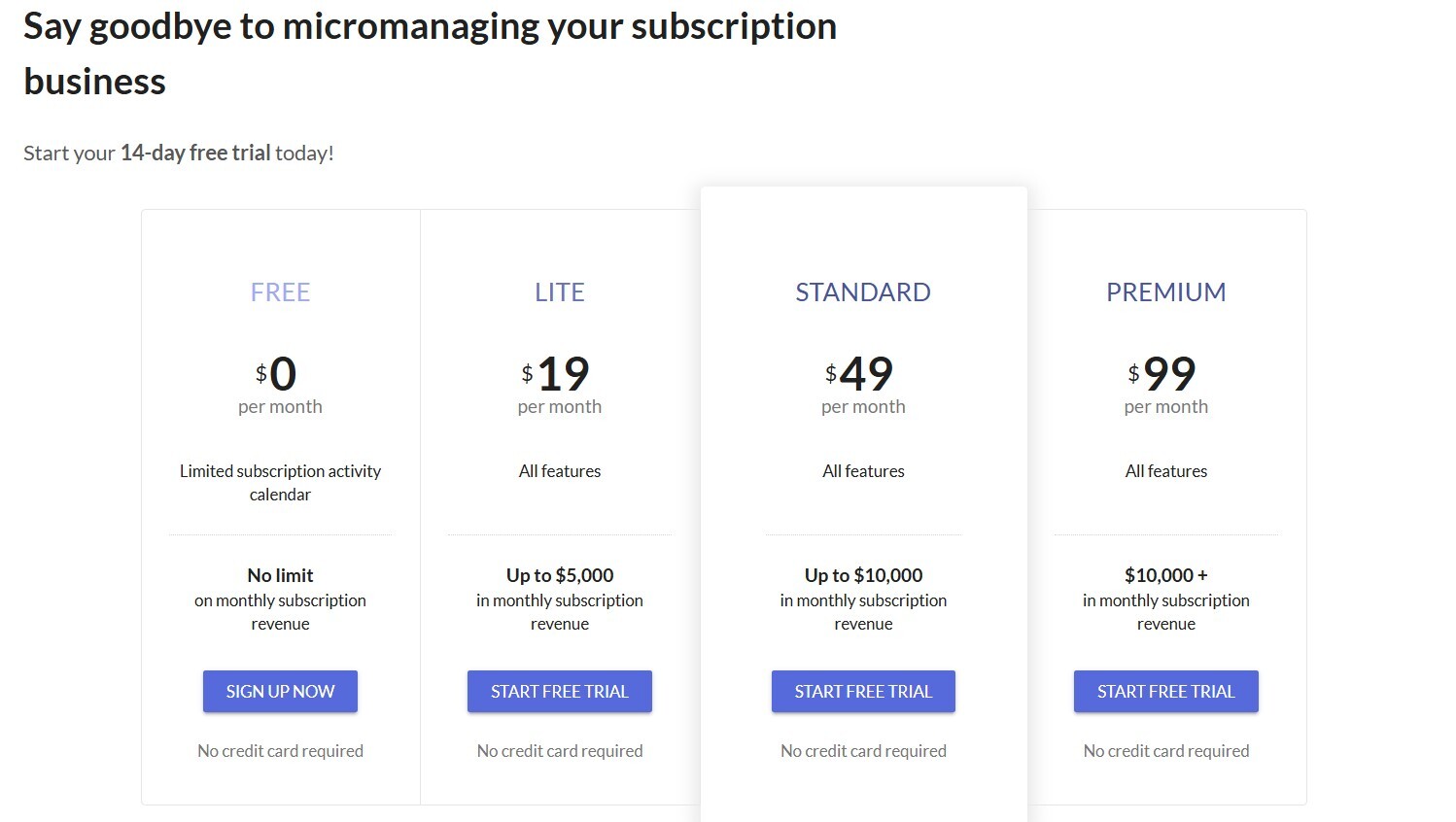
Image by ProfitKit
11. Sage Intacct
G2 Rating: 4.3/5
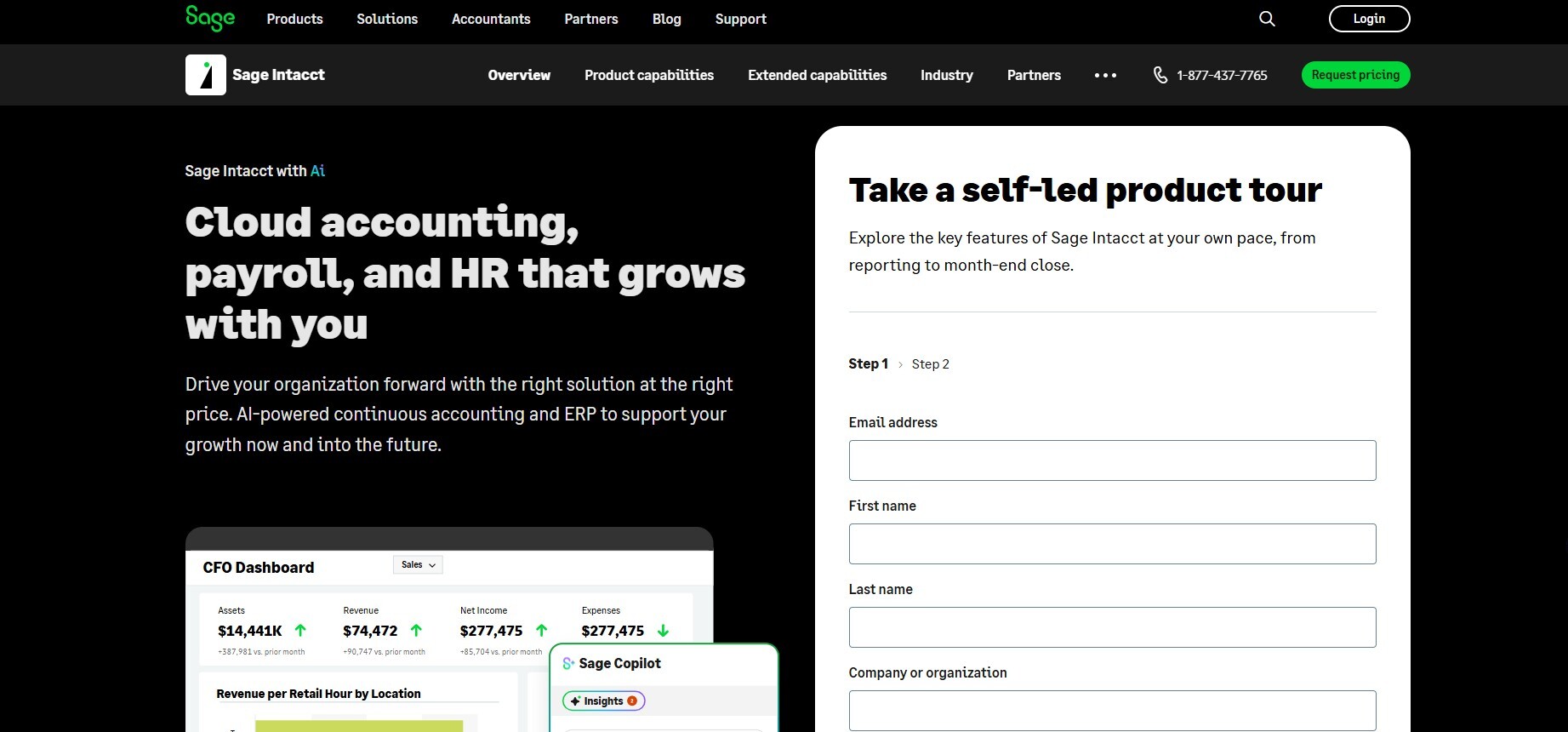
Image by Sage Intacct
Tired of juggling between ERP systems, spreadsheets, and scattered dashboards? Sage Intacct is a cloud-based SaaS reporting tool that brings all your accounting, reporting, and subscription metrics into one clear view.
It helps you track growth, monitor expenses, and close books faster, without sacrificing accuracy.
Sage Intacct excels in handling complex structures like multiple entities and currencies, with built-in consolidation and compliance. It also supports detailed revenue recognition under ASC 606.
Real-time dashboards provide visibility into key SaaS metrics like ARR and deferred revenue. This makes it a good option for SaaS reporting and analytics.
Key Features
- Customizable financial dashboards with drag-and-drop widgets
- Multi-dimensional data tagging for detailed analysis
- Intelligent general ledger supporting complex reporting
- Automated multi-entity and multi-currency consolidation
- Real-time financial reporting engine
- Automated allocations for cost and revenue spreading
- Integrated budgeting, forecasting, and scenario modeling
- Open API for seamless BI and analytics integration
Pricing
- Custom pricing
Also Read:
- Top Accounts Receivable (AR) Software Solutions
- Most Important Subscription Management Software Features
How to Choose the Best SaaS Reporting Tool
There are dozens of SaaS analytics and reporting tools to choose from. Some offer real-time dashboards, while others focus on billing analytics. A few are built for early-stage startups, while others are tailored to enterprise finance teams.
But here’s the catch: choosing the wrong tool can cost you more than just money. It can slow decision-making, confuse stakeholders, and leave blind spots in your financial data.
So, how should you compare SaaS reporting tools and choose one?
Here are six parameters on which you can compare different SaaS analytics and reporting tools. Use these to find the best option for your business.
1. Pricing and Billing Complexity
Start by asking yourself: How complex is your billing structure?
If you're managing different subscription tiers, billing cycles, discount codes, usage-based models, or add-ons, your SaaS reporting tool should be able to handle that.
Many SaaS analytics and reporting tools only work well with flat monthly subscriptions. But if you have multiple revenue streams or dynamic pricing, that’s not enough.
Look for SaaS reporting tools that support metered billing, prorated charges, and flexible invoice tracking. This will ensure you don’t have to spend hours manually fixing spreadsheets or reconciling numbers.
Also, choose a tool that automatically links revenue with billing events. Bonus points if it provides built-in compliance with revenue recognition rules like ASC 606 or IFRS 15.
2. Integration with Your Existing Tech Stack
When comparing options, make sure you pick one that integrates with your existing tools.
It’s easy to get excited about data visualizations and SaaS metrics. However, if your tool doesn’t sync with your ERP, CRM, or payment gateway, you won’t get complete or accurate data.
Great SaaS reporting tools should integrate seamlessly with platforms like Stripe, Salesforce, HubSpot, Chargebee, QuickBooks, and Xero. If you’re forced to manually upload CSV files or build complex APIs, you’ll lose the real-time advantage.
So, look for SaaS analytics tools that offer native integrations and pre-built connectors. Also, check how well the tool imports historical data, not just what it captures after installation.
3. Comprehensive Metric-Tracking (MRR, ARPA, Churn)
Now let’s get into the heart of why you need SaaS reporting tools in the first place.
In our opinion, the ability to track all important SaaS metrics and provide detailed reports is a must-have feature that all SaaS analytics and reporting tools should have.
At the very least, SaaS analytics tools should be able to track:
- Monthly Recurring Revenue (MRR)
- Average Revenue per Account (ARPA)
- Churn rate (gross and net)
- Customer Lifetime Value (LTV)
- Customer Acquisition Cost (CAC)
Here’s the thing: Not every tool calculates these metrics the same way. Some include one-time charges in MRR, while others don’t break out expansion vs. contraction revenue.
When comparing SaaS reporting tools, look for one that uses SaaS-specific logic or gives you the flexibility to define your formulas. Bonus points if it provides cohort analysis or segmentation by customer type, plan, or geography.
Key metrics are only useful if they’re accurate, consistent, and available when you need them. Choose a SaaS analytics tool that doesn’t just display data, but helps you interpret it with clarity.
4. Reporting Automation
If you rely on business analytics to make business decisions, you likely want weekly or monthly reports with key metrics. Preparing these regular reports manually is simply a waste of time.
Most analytics tools save you time by automating recurring tasks like report creation and delivery.
Good SaaS reporting tools can schedule reports, send real-time alerts, and allow you to create customizable, interactive dashboards you can share with stakeholders.
The more you can automate, the faster you’ll catch issues like rising churn, delayed payments, or declining ARPA. And the sooner you act, the better your decisions will be.
Ask yourself:
- Can I schedule weekly or monthly reports for my team?
- Can I set alerts for threshold changes (like churn above 5%)
- Can I create dashboard views for execs, board members, and investors?
If the answer is no, keep looking for other SaaS reporting tools.
Time is your most valuable resource, so your SaaS analytics and reporting tool should be working even when you’re not.
5. Subscription Management
Let’s talk about alignment, specifically between your reporting and subscription management systems.
If you’re using tools like Recurly, Chargebee, or Stripe Billing to manage subscriptions, your reporting platform should connect directly and pull in the right data without errors.
That includes:
- Subscription start and end dates
- Trial conversions and cancellations
- Add-ons, upgrades, and downgrades
- Refunds and failed payments
When your SaaS reporting tool aligns with your billing software, you eliminate the possibility of mismatched revenue numbers and confusing charts. This is crucial for accurate forecasting and the monthly close.
And if you're scaling?
Choose a SaaS reporting platform that handles mid-cycle changes, multi-product offerings, and promotional pricing, not just basic renewals.
6. Multi-Entity Reporting and Consolidation
Managing finances across multiple business units, regions, or subsidiaries?
Not all SaaS reporting tools handle this well. Many tools only support single-entity reporting, which makes consolidation a nightmare, especially during board reporting or tax season.
Look for SaaS analytics and reporting tools that support multi-entity capabilities. A good tool should be able to:
- Consolidate metrics across currencies and geographies
- Roll up the financials for parent-child entities
- Apply different tax rules or accounting standards
- Control access by role, team, or location
The best SaaS reporting tools don’t just show combined data, they let you drill down into each metric without losing clarity. If your business is scaling fast, you’ll need this level of granularity to manage risk and plan strategically.
Also Read:
- Experts Share Key Trends for SaaS
- Smart Choices: A Tactical Buyer's Guide for Subscription Management Solutions
A Checklist to Choose the Right SaaS Reporting Tool
Before you commit to any SaaS reporting tool, run through this quick checklist:
- Does it support your current and future billing complexity?
- Can it integrate with your CRM, ERP, and payment systems out of the box?
- Does it provide accurate, SaaS-specific metrics like MRR and churn?
- Can you automate reports, alerts, and recurring dashboards easily?
- Does it sync seamlessly with your subscription management software solution?
- Is it built for multi-entity reporting and international scale?
If you can’t confidently check all six boxes, the SaaS analytics tool may not be a long-term fit.
Choosing from the best SaaS reporting tools isn’t about picking the one with the most features. It’s about choosing the one that fits your finance team’s needs now and evolves with you as your business grows.
The best SaaS analytics and reporting tools don’t just show data, but make it easier to act on it.
FAQ
1. Is Younium a good fit for growing SaaS companies, or is it just for large enterprises?
Younium is designed for B2B SaaS businesses that need structure, control, and visibility.
While it’s powerful enough for enterprise use, growing B2B SaaS companies also benefit from its advanced contract management capabilities. It handles revenue recognition and billing complexity all in one place.
Younium stands out among SaaS reporting tools with strong integrations and audit-ready reports. It’s perfect for finance teams aiming to scale confidently and cut down on manual reconciliation work.
2. What exactly are SaaS reporting tools, and how do they help finance teams operate more effectively?
SaaS reporting tools are platforms that automate data collection and visualization for subscription-based businesses. Instead of building spreadsheets or juggling multiple tools, finance teams get a centralized view of metrics like MRR, churn, cash flow, and LTV.
SaaS analytics and reporting tools save time, reduce errors, and make it easier to share insights across departments or with stakeholders. For CFOs and finance managers, the value lies in real-time decision-making and a consistent, trustworthy data foundation.
3. Are SaaS reporting tools useful even if we already use accounting software like QuickBooks or Xero?
Absolutely! Accounting software tracks what’s already happened, while SaaS reporting tools show what’s happening now and what could happen next.
SaaS analytics and reporting tools offer predictive insights, retention trends, and growth forecasts that traditional accounting platforms cannot provide.
For example, SaaS reporting tools like Younium let you segment revenue by customer type, product line, contract length, or pricing model. These are insights your general ledger or traditional BI tools simply aren't design to deliver.
4. Can finance teams use SaaS reporting tools without needing a developer or data analyst to set them up
Yes, most modern SaaS reporting tools are built for ease of use. They offer drag-and-drop dashboards, prebuilt templates, and native integrations with CRMs, billing systems, and analytics tools. This allows finance teams to get up and running quickly without technical support.
5. How should a SaaS CFO choose the right SaaS reporting tool from all the available options?
Start by identifying the exact data your team needs to monitor daily, weekly, and monthly. Then look for SaaS reporting tools that track those and offer seamless integration capabilities, connecting with your CRM, billing platform, and product analytics.
Also, think long-term: will the tool scale as your business complexity increases?
The best SaaS reporting tools let you evolve your reporting without needing to switch platforms every year.
Conclusion
Choosing the right SaaS reporting tools can significantly transform how your finance team operates.
From Younium to Databox to ProfitWell Metrics, each of these SaaS analytics and reporting tools brings something unique to the table.
One thing is clear: powerful SaaS analytics tools give you more control, more clarity, and more confidence. They don’t just show you where your business stands — they help you plan where it’s going.
So, if your team is serious about scaling smart, it’s time to leave the guesswork behind and invest in the SaaS reporting tools that move your metrics forward.
Younium is one tool that stands out because it caters to the comprehensive needs of B2B SaaS businesses with custom contracts and pricing for different customers. You can book a demo with Younium to explore its capabilities and determine whether it’s the right fit for your business.